


Imágenes con cel shading
Transforma una foto o una idea en una escena cotidiana con cel shading.
Crear una imagen con cel shadingAplica el mismo acabado gráfico a un personaje reutilizable, una escena cotidiana, un vídeo corto, un guion gráfico y un cuento ilustrado.
Transforma una foto o una idea en una escena cotidiana con cel shading.
Crear una imagen con cel shadingAnima una acción clara con contornos nítidos y colores planos.
Crear un vídeo con cel shadingPlanifica varias escenas y revísalas como guion gráfico antes de animarlas.
Crea una historia de barrio ilustrada con tus personajes guardados.
Leer el cuento con cel shadingEl cel shading, también llamado sombreado cel, utiliza contornos definidos, zonas amplias de color y unas pocas bandas de sombra con bordes marcados. En lugar de mezclar gradualmente la luz y la oscuridad, divide las superficies en formas gráficas diferenciadas. Así da a personajes y entornos un acabado de animación con profundidad legible.
Funciona bien en personajes expresivos, momentos cotidianos, escenas de acción, conceptos para videojuegos, cómics, avatares e ilustraciones narrativas. Las siluetas claras y el sombreado limitado ayudan a distinguir posturas, objetos y expresiones incluso en imágenes pequeñas.
El generador reconstruye el sujeto con ese lenguaje visual; no superpone un efecto fijo sobre la fuente. Interpreta el rostro, la ropa, los materiales, la luz y el espacio como nuevos contornos y áreas de color, por lo que cada generación puede variar.
Las zonas diferenciadas de luz y sombra dan profundidad sin degradados suaves.
Los contornos definidos permiten reconocer personas, mascotas, objetos y gestos de un vistazo.
Las superficies amplias de color mantienen la estructura espacial y un acabado de ilustración.

Empieza con una escena escrita o una foto de referencia y elige el formato de tu proyecto: imagen, personaje reutilizable, vídeo corto o cuento ilustrado.
Parte de una foto o describe una escena nueva. El ajuste seleccionado la reconstruye con luces y sombras gráficas.
Elige una referencia JPG, PNG o WebP, o describe el sujeto, una acción visible, los objetos y el lugar.
Deja seleccionado el estilo de sombreado cel, elige una relación de aspecto y cuántos resultados quieres comparar.
El modelo reconstruye la escena con contornos limpios, áreas amplias de color y sombras de bordes definidos.
Descarga la imagen, guarda un personaje reutilizable, anima una acción o desarrolla un cuento ilustrado.
Elige primero el ajuste de sombreado cel. Usa las indicaciones para definir el sujeto, la acción, los objetos, el entorno y la composición sin repetir términos de estilo o calidad.
El oficio, la ropa y un objeto característico ayudan a centrar la escena.
Un repartidor
Un repartidor en bicicleta solar con visor ámbar, chaqueta azul cobalto, contenedores para paquetes y botas reforzadas
Una acción concreta se entiende mejor que varios sucesos que compiten entre sí.
Gente en casa
Un abuelo y su nieta doblando pájaros de papel junto a la ventana de una cocina en un día de lluvia
Unos pocos detalles del lugar hacen que una escena cotidiana parezca habitada.
Amigos comiendo
Dos amigos compartiendo fideos para llevar en el balcón de un piso, junto a ropa tendida y macetas de hierbas
Un sujeto principal y pocos objetos suelen dar un resultado más coherente.
Una ciudad con muchas cosas pasando
Una jardinera cubriendo bandejas de plantones en una azotea mientras la lluvia avanza sobre la ciudad al anochecer
Empieza con un personaje guardado y úsalo en una escena independiente, un vídeo corto y un cuento ilustrado completo.
Conserva la identidad elegida para reutilizarla en otros trabajos.
Dale al personaje una acción nueva en un entorno habitado.
Selecciona el personaje guardado para una toma breve y centrada en una acción.
Divide la idea en escenas conectadas y revisa la historia completa antes de renderizar una animación.
Asigna el protagonista guardado al planificar el cuento ilustrado.
Compara cinco acabados relacionados y abre la página del estilo que mejor encaje con tu próxima imagen.

Convierte una idea escrita o una foto autorizada en una obra de cómic original definida por poses contundentes, siluetas sólidas, tinta marcada y narración visual de alta tensión.
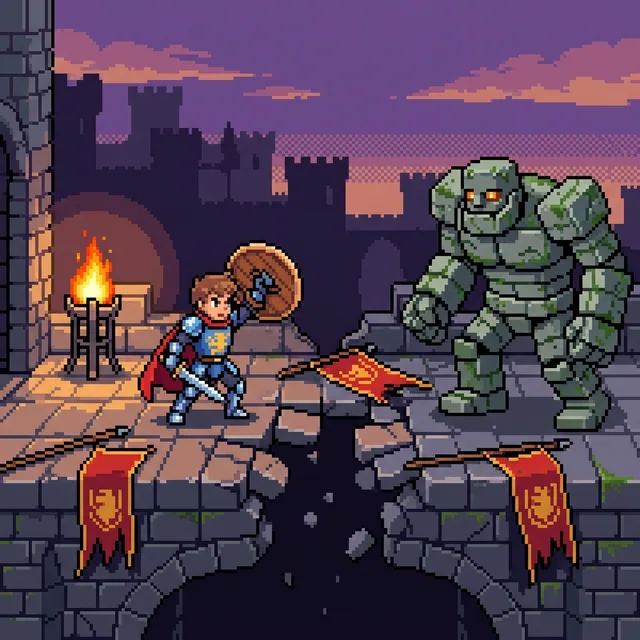
Convierte una idea escrita o tu foto favorita en un nítido pixel art con píxeles cuadrados visibles, grupos de color con bordes definidos y una paleta limitada y enfocada. Crea retratos, mascotas, escenas y personajes originales, y luego continúa con un video o una historia ilustrada.
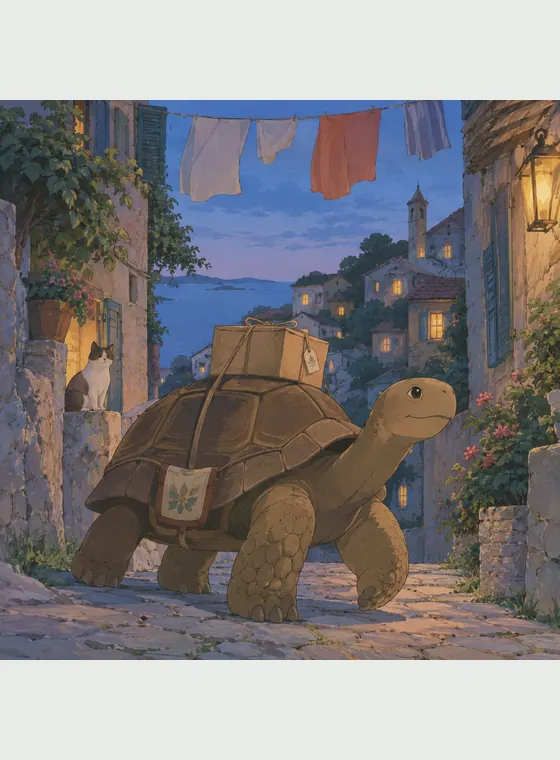
Convierte una foto o una idea original en una escena de anime pintada a mano con colores suaves, detalles sutiles y una fuerte atmósfera.

Convierte una foto o una idea escrita en una ilustración de animación 2D original con actuaciones expresivas, formas elegantes y una escenificación cálida centrada en la historia.

Sube la foto de una persona, una mascota, un edificio o un paisaje para reconstruirla como arte voxel estilo Minecraft. También puedes escribir un prompt y crear una escena nueva. La IA recompone el sujeto, el fondo y la luz con formas cúbicas en lugar de aplicar un simple filtro pixelado.
El cel shading da una estructura visual clara a retratos, mascotas, momentos cotidianos, acciones e ideas originales. Su combinación de claridad gráfica y profundidad sirve para conceptos de personajes, imágenes sociales, escenas narrativas y referencias de animación.
Inventa una escena con una descripción o reconstruye el sujeto y la composición de una foto de referencia.
Las sombras de bordes marcados y los brillos limitados distinguen el resultado del 3D suave y de la ilustración pictórica.
Guarda una identidad elegida y úsala en variaciones, imágenes, vídeos y cuentos.
Empieza con los créditos gratuitos disponibles y descarga imágenes JPG, PNG o WebP sin marca de agua visible de la plataforma.
Convierte texto o una foto de referencia en una ilustración con contornos definidos, colores planos y bandas de sombra con bordes marcados.

Transforma una foto o una idea escrita y guarda el personaje que prefieras para continuar con un vídeo o una historia ilustrada.