


Images de style cel shading
Transformez une photo ou une idée en scène du quotidien au cel shading net.
Créer une image en cel shadingUtilisez le même traitement graphique pour un personnage réutilisable, une scène du quotidien, une courte vidéo et un livre illustré.
Transformez une photo ou une idée en scène du quotidien au cel shading net.
Créer une image en cel shadingAnime une action claire avec des contours francs et des aplats de couleur.
Créer une vidéo en cel shadingPlanifiez une histoire en plusieurs scènes et vérifiez-la sous forme de storyboard avant d’animer.
Créez une histoire illustrée de quartier autour de votre distribution enregistrée.
Créer une histoire en cel shadingL’art en cel shading utilise des contours maîtrisés, de larges aplats de couleur et quelques bandes d’ombre aux bords nets. Chaque surface est divisée en formes graphiques distinctes, ce qui donne aux personnages et aux décors un rendu proche de l’animation tout en gardant une profondeur lisible.
Ce style convient aux personnages expressifs, aux scènes du quotidien, aux actions, aux concepts inspirés des jeux, aux bandes dessinées, aux avatars et aux illustrations narratives. Les silhouettes et l’ombrage limité rendent les poses, les accessoires et les expressions faciles à comprendre, même en petit format.
Un générateur IA en cel shading reconstruit le sujet dans ce langage visuel au lieu d’appliquer un effet fixe sur l’image source. Il interprète les visages, les vêtements, les matières, la lumière et la profondeur pour créer de nouveaux contours et aplats de couleur.
Des zones de lumière et d'ombre bien séparées donnent de la profondeur sans dégradés doux.
Des contours maîtrisés gardent personnes, animaux, objets et gestes lisibles d'un coup d'œil.
De larges aplats préservent la structure spatiale avec une finition d'illustration propre.

Commencez par une scène écrite ou une photo de référence, puis choisissez le format adapté au projet : image fixe, personnage réutilisable, vidéo courte ou livre illustré.
Partez d'une photo familière ou décrivez une nouvelle scène : le préréglage choisi la reconstruit avec des ombres et lumières graphiques.
Choisissez une référence JPG, PNG ou WebP, ou décrivez un sujet, une action visible, des objets utiles et un lieu.
Laissez le cel shading sélectionné, choisissez un ratio et décidez combien de résultats comparer.
Le modèle reconstruit la scène avec des contours propres, de larges aplats et des ombres à bords francs.
Téléchargez l'image, enregistrez un personnage réutilisable, animez une action courte ou développez un livre illustré.
Choisissez d'abord le préréglage cel shading. Utilisez le prompt pour contrôler le sujet, l'action, les objets, l'environnement et la composition plutôt que de répéter des termes de style ou de qualité.
Un métier, une tenue et un objet signature donnent un point focal clair à la scène.
Un coursier
Un coursier à vélo solaire avec visière ambre, veste cobalt, bidons de colis et bottes renforcées
Une action décisive se lit mieux que plusieurs événements en compétition.
Des gens à la maison
Un grand-père et sa petite-fille pliant des oiseaux en papier près de la fenêtre d'une cuisine pluvieuse
Quelques détails concrets du lieu rendent un instant ordinaire habité.
Des amis qui mangent
Deux amis partageant des nouilles à emporter sur le balcon d'un appartement, près du linge étendu et des pots d'aromates
Un sujet principal net et une liste courte d'objets donnent souvent un résultat plus cohérent.
Une ville chargée où tout se passe
Une jardinière de toit couvrant des plateaux de plants tandis que la pluie avance sur la skyline du soir
Partez d'un personnage enregistré, puis placez cette identité dans une scène indépendante, une vidéo courte ciblée et un livre illustré complet.
Gardez l'identité validée disponible pour les travaux suivants.
Donnez au personnage une nouvelle action dans un décor habité.
Sélectionnez le personnage enregistré pour un plan court centré sur une action.
Découpez l’idée en scènes reliées entre elles et relisez l’histoire entière en storyboard avant tout rendu d’animation.
Attribuez le personnage principal enregistré lors de la planification du livre illustré.
Comparez cinq rendus proches, puis ouvrez la page du style qui convient à votre prochaine image.

Transformez une idée ou une photo que vous êtes autorisé à utiliser en bande dessinée originale, avec des poses franches, des silhouettes fortes, un encrage appuyé et une tension narrative claire.
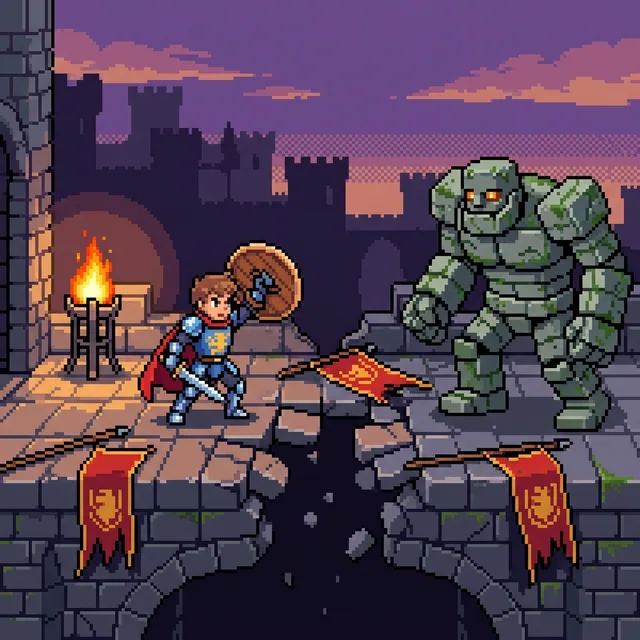
Transformez une idée écrite ou une photo préférée en un pixel art net avec des pixels carrés visibles, des blocs de couleur aux contours nets et une palette limitée ciblée. Créez des portraits, des animaux de compagnie, des scènes et des personnages originaux, puis continuez en vidéo ou en histoire illustrée.
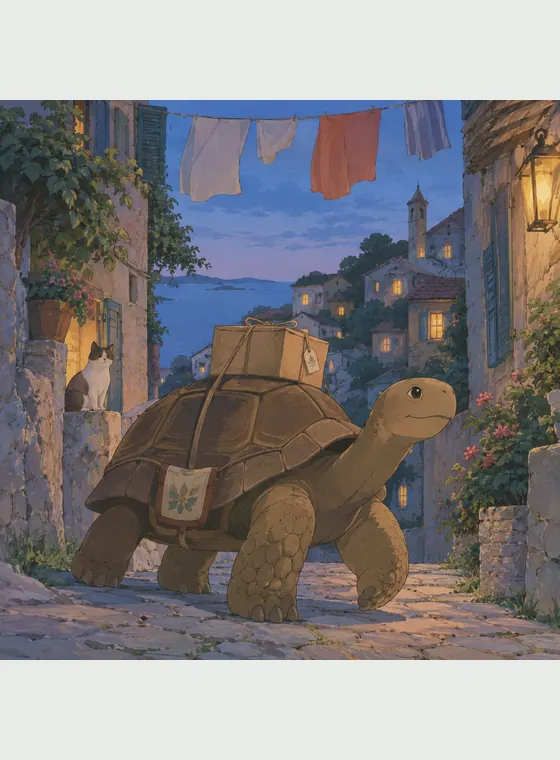
Transformez une photo ou une idée en scène d'anime peinte à la main avec des couleurs douces, des détails observés et une forte sensation d'ancrage dans le lieu.

Transformez une photo ou une idée écrite en art d'animation 2D original avec un jeu expressif, des formes gracieuses et une mise en scène chaleureuse axée sur l'histoire.

Importez la photo d’une personne, d’un animal, d’un bâtiment ou d’un paysage pour la reconstruire en art voxel style Minecraft. Vous pouvez aussi partir d’un prompt pour créer une nouvelle scène. L’IA recompose le sujet, le décor et la lumière avec des formes cubiques au lieu d’ajouter un simple filtre pixelisé.
Le cel shading donne aux portraits, aux animaux, aux moments du quotidien, aux scènes d'action et aux idées originales une structure visuelle propre. Sa clarté graphique alliée à une profondeur suffisante soutient les concepts de personnages, les images sociales, les scènes narratives et les références d'animation.
Inventez une scène depuis un prompt ou reconstruisez le sujet et la cadre d'une photo de référence.
Les ombres à bords francs et les hautes lumières retenues distinguent le résultat du 3D lisse et de l'illustration picturale.
Enregistrez une identité validée et continuez-la en variations, images, vidéos et livres illustrés.
Commencez avec les crédits gratuits disponibles et téléchargez des images JPG, PNG ou WebP sans filigrane visible.
C'est un outil d'image IA qui transforme du texte ou une photo de référence en illustration aux contours contrôlés, aplats de couleur et bandes d'ombre à bords francs.

Transformez une photo ou une idée écrite, puis enregistrez le personnage qui vous convient pour poursuivre en vidéo ou dans un livre illustré.