
셀 셰이딩 AI 생성기


프로젝트 전체에 이어지는 하나의 셀 셰이딩 스타일
재사용 가능한 캐릭터, 일상 장면, 짧은 영상, 일러스트 그림책에 같은 그래픽 표현을 사용할 수 있습니다.
셀 셰이딩풍 애니메이션 스토리
애니메이션 제작에 앞서 이야기를 여러 장면으로 계획하고 콘티로 미리 확인합니다.
셀 셰이딩 아트란 무엇인가요?
셀 셰이딩 아트는 정돈된 윤곽선, 넓은 기본 색상, 가장자리가 뚜렷한 그림자 영역을 사용합니다. 빛에서 어둠으로 부드럽게 섞는 대신 각 표면을 분명한 그래픽 형태로 나누어 애니메이션 같은 느낌과 읽기 쉬운 깊이를 함께 만듭니다.
표현력 있는 캐릭터, 일상적인 순간, 액션 장면, 게임풍 콘셉트, 만화, 아바타, 스토리 일러스트에 잘 맞습니다. 강한 실루엣과 제한적인 음영 덕분에 작은 크기에서도 포즈, 소품, 표정을 알아보기 쉽습니다.
셀 셰이딩 AI 생성기는 원본 위에 고정 필터를 씌우지 않고 이 시각 언어로 대상을 재구성합니다. 얼굴, 의상, 재질, 빛, 공간의 깊이를 새로운 윤곽선과 색 영역으로 해석하므로 생성 결과가 달라질 수 있습니다.
경계가 분명한 그림자 띠
빛과 그림자 면을 뚜렷하게 나눠 부드러운 그라데이션 없이도 깊이가 생깁니다.
또렷한 그래픽 실루엣
윤곽을 절제해 사람, 반려동물, 사물, 몸짓이 한눈에 읽힙니다.
평면 색감과 읽히는 깊이
넓은 면의 색이 공간 구조를 유지하면서 일러스트다운 마감을 만듭니다.

셀 셰이딩 아이디어를 위한 실용적인 작업 공간
글로 장면을 쓰거나 참고 사진으로 시작한 뒤, 프로젝트에 맞는 형식을 고르세요. 이미지, 재사용 캐릭터, 짧은 영상, 그림책입니다.
- 무료 크레딧으로 시작
- 플랫폼 워터마크 없음
- 사진과 텍스트 입력
- 이미지, 영상, 캐릭터, 그림책
셀 셰이딩 아트를 만드는 방법
익숙한 사진에서 시작하거나 새 장면을 묘사하면, 선택한 프리셋이 그래픽적인 빛과 그림자로 다시 그립니다.
사진 업로드 또는 장면 묘사
JPG, PNG, WebP 참고 이미지를 고르거나 주제, 보이는 동작, 소품, 장소를 묘사합니다.
셀 셰이드 유지하고 프레임 설정
셀 셰이드를 선택한 채로 화면 비율과 비교할 결과 수를 정합니다.
셀 셰이드 결과 생성
모델이 장면을 깔끔한 윤곽, 넓은 색면, 경계가 분명한 빛과 그림자로 재구성합니다.
다운로드하거나 이어서创作
이미지를 내려받고, 재사용 캐릭터를 저장하고, 짧은 동작을 애니메이션으로 만들거나 그림책을 발전시킵니다.
더 나은 셀 셰이딩 프롬프트를 위한 팁
먼저 셀 셰이드 프리셋을 선택하세요. 프롬프트는 스타일이나 품질 단어를 반복하기보다 주제, 동작, 소품, 환경, 구도를 지정하는 데 씁니다.
주제에 알아볼 수 있는 역할 주기
역할, 옷차림, 상징 소품이 있으면 장면에 명확한 초점이 생깁니다.
배달원
호박색 바이저와 코발트색 재킷, 소포 캐니스터, 보강 부츠를 갖춘 태양광 자전거 배달원
보이는 동작 하나 묘사하기
결정적인 동작 하나가 경쟁하는 여러 사건보다 더 명확하게 읽힙니다.
집에 있는 사람들
비 오는 날 주방 창가에서 함께 종이 새를 접는 할아버지와 손녀
환경을 구체화하기
구체적인 주변 요소 몇 가지가 평범한 순간에 살아 있는 느낌을 줍니다.
식사하는 친구들
아파트 발코니에서 널어둔 빨래와 허브 화분 옆에서 포장 국수를 나눠 먹는 두 친구
구도 집중 유지하기
초점이 분명한 주제와 짧은 소품 목록이 더 일관된 결과를 만듭니다.
여러 일이 벌어지는 북적이는 도시
저녁 도시 하늘로 비가 다가오는 가운데 모판을 덮는 옥상 정원사
한 캐릭터로 셀 셰이드 스토리 완성하기
저장한 캐릭터에서 출발해 독립된 장면, 하나의 동작에 집중한 짧은 영상, 완성된 그림책까지 같은 모습으로 이어갑니다.
다른 일러스트 스타일 살펴보기
관련된 다섯 가지 결과를 비교하고 다음 이미지에 가장 잘 맞는 스타일 페이지를 열어 보세요.

마블풍
글로 쓴 아이디어나 사용 권한이 있는 사진을 명확한 포즈, 강렬한 실루엣, 굵은 잉크선, 선명한 갈등이 담긴 오리지널 코믹 아트로 바꿔 보세요.
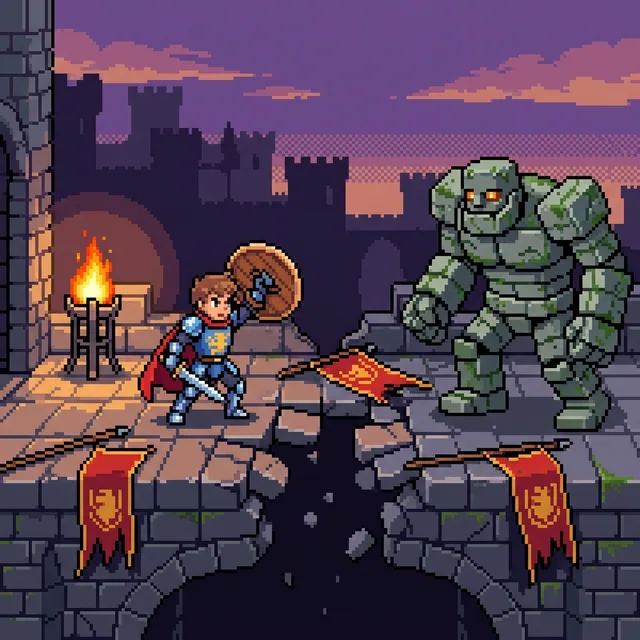
픽셀아트
글로 쓴 아이디어나 좋아하는 사진을 선명한 픽셀아트로 변환해 보세요. 눈에 띄는 정사각형 픽셀, 경계가 뚜렷한 색상 클러스터, 집중된 제한적 팔레트로 구성된 작품을 만들 수 있습니다. 인물화, 반려동물, 배경, 독창적인 픽셀아트 캐릭터를 만든 다음, 동영상이나 삽화 스토리로 제작을 이어가세요.
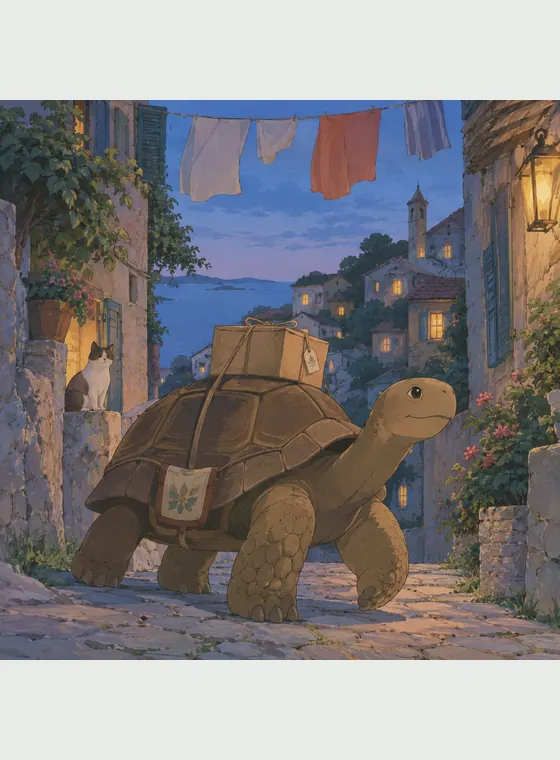
지브리풍
사진이나 오리지널 프롬프트를 부드러운 색감, 섬세한 묘사, 현실감 있는 분위기의 손그림 애니메이션 장면으로 변환하세요.

디즈니풍
사진이나 글로 작성된 아이디어를 풍부한 표정, 부드러운 형태, 따뜻한 스토리 중심의 연출이 돋보이는 오리지널 2D 애니메이션 아트로 변환하세요.

마인크래프트 스타일
사진이나 글로 적은 아이디어를 입방체 캐릭터, 격자로 쌓은 배경, 한눈에 읽히는 블록 세계의 동작이 담긴 컬러 복셀 아트로 바꿉니다. 재사용 가능한 캐릭터와 애니메이션 영상, 삽화 이야기로 계속 확장할 수 있습니다.
셀 셰이딩 AI 생성기를 사용하는 이유
셀 셰이딩은 인물, 반려동물, 일상 순간, 액션 장면, 오리지널 아이디어에 깔끔한 시각 구조를 줍니다. 그래픽적 명료함과 충분한 깊이의 조합이 캐릭터 콘셉트, SNS 이미지, 스토리 장면, 애니메이션 참고자료를 지원합니다.
텍스트와 사진 입력
프롬프트로 장면을 만들거나 참고 사진의 주제와 구도를 재구성합니다.
뚜렷한 그래픽 조명
경계가 또렷한 그림자와 절제된 하이라이트가 부드러운 3D 렌더링이나 회화적 일러스트와 차별화합니다.
재사용 가능한 캐릭터 워크플로
승인한 모습을 저장해 변형, 이미지, 영상, 그림책에서 계속 씁니다.
실용적인 이미지 내보내기
제공되는 무료 크레딧으로 시작해 플랫폼 워터마크 없는 JPG, PNG, WebP 이미지를 내려받습니다.
셀 셰이딩 AI 생성기 FAQ
텍스트나 참고 사진을 절제된 윤곽, 평면 색, 경계가 분명한 그림자 띠를 가진 작품으로 바꾸는 AI 이미지 도구입니다.

첫 번째 셀 셰이딩 이미지를 만들어 보세요
사진이나 글로 쓴 아이디어에서 시작한 뒤, 마음에 드는 캐릭터를 저장해 영상이나 일러스트 스토리로 이어가세요.