赛璐珞着色 AI 生成器

让整个项目保持统一的赛璐珞着色风格

为可复用角色、日常场景、短视频和插画绘本使用同一套清晰的图形表现。

什么是赛璐珞着色

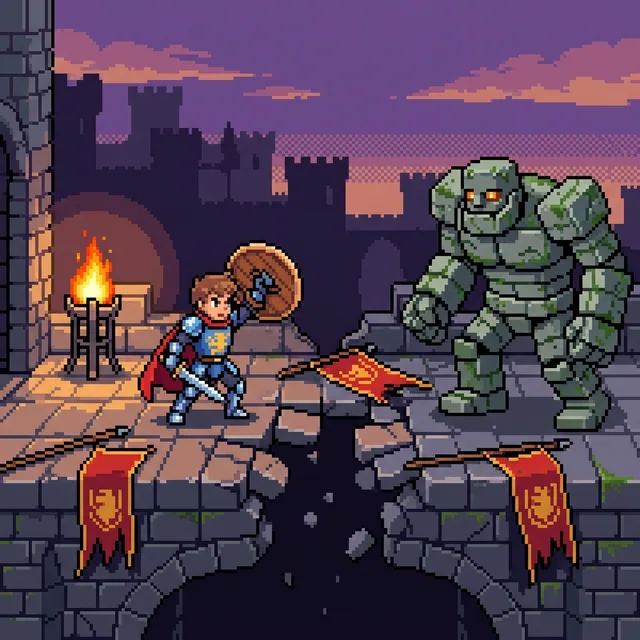
赛璐珞着色使用明确的轮廓线、大面积基础色,以及少量边缘清晰的阴影带。它不把明暗渐变混合,而是将每个表面分成清楚的图形区域,让角色和环境保留可读的深度,同时呈现动画般的平面效果。

这种风格适合表现情绪丰富的角色、日常片段、动作场景、游戏概念、漫画、头像和故事插画。强烈的剪影与有限的阴影能让姿势、道具和表情在较小的显示尺寸下也容易辨认。

赛璐珞着色 AI 生成器不是在原图上覆盖固定滤镜,而是用这种视觉语言重新构建主体。它会把面部、服装、材质、光线和空间深度理解为新的轮廓与色块,因此每次生成的结果都可能不同。

Hard-edged shadow bands

Distinct light and shadow shapes give forms depth without soft tonal blending.

Crisp graphic silhouettes

Controlled contours keep people, pets, objects, and gestures readable at a glance.

Flat color with readable depth

Broad local colors preserve spatial structure while keeping the finish clean and illustrative.

Woman hanging a yellow bedsheet in a sunny apartment courtyard while a tabby cat sits in a laundry basket

适合赛璐珞着色创意的实用工作空间

Start with a written scene or reference photo, then choose the format that fits your project: a still image, reusable character, short video, or illustrated book.

  • Free credits to start
  • No visible platform watermark
  • Photo and text input
  • Images, video, characters, and books

如何创建赛璐珞着色作品

Start from a familiar photo or describe a new scene, then let the selected preset rebuild it with graphic light and shadow.

1

Upload a Photo or Describe a Scene

Choose a JPG, PNG, or WebP reference, or describe one subject, visible action, practical props, and a setting.

2

Select Cel Shaded and Set the Frame

Keep Cel Shaded selected, choose an aspect ratio, and decide how many results to compare.

3

Generate the Cel-Shaded Interpretation

The model rebuilds the scene with clean contours, broad color shapes, and hard-edged light and shadow.

4

Download or Continue Creating

Download the image, save a reusable character, animate a short action, or develop an illustrated storybook.

赛璐珞着色提示词技巧

Choose the Cel Shaded preset first. Use the prompt to control the subject, action, props, environment, and composition instead of repeating style or quality terms.

Give the Subject a Recognizable Role

A role, outfit, and signature object give the scene a clear focal point.

Too vague

A courier

Better prompt

A solar-bike courier with an amber visor, cobalt jacket, parcel canisters, and reinforced boots

Describe One Visible Action

One decisive action reads more clearly than several competing events.

Too vague

People at home

Better prompt

A grandfather and granddaughter folding paper birds together beside a rainy kitchen window

Anchor the Environment

A few specific surroundings make an ordinary moment feel inhabited.

Too vague

Friends eating

Better prompt

Two friends sharing takeaway noodles on an apartment balcony beside hanging laundry and potted herbs

Keep the Composition Focused

A clear focal subject and short prop list usually produce a more coherent result.

Too vague

A busy city with many things happening

Better prompt

A rooftop gardener covering seedling trays as rain moves across the evening skyline

为什么使用赛璐珞着色 AI 生成器

Cel shading gives portraits, pets, daily moments, action scenes, and original ideas a clean visual structure. It combines graphic clarity with enough depth to support character concepts, social images, story scenes, and animation references.

Text and photo input

Invent a scene from a prompt or reconstruct the subject and composition of a reference photo.

Distinct graphic lighting

Hard-edged shadows and restrained highlights separate the result from smooth 3D rendering and painterly cartoon art.

Reusable character workflows

Save an approved identity and continue it through variations, images, video, and storybooks.

Practical image exports

Start with available free credits and download generated JPG, PNG, or WebP images without a visible platform watermark.

赛璐珞着色 AI 生成器常见问题

It is an AI image tool that turns text or a reference photo into artwork with controlled outlines, flat local colors, and hard-edged shadow bands.

创建你的第一张赛璐珞着色图片

从照片或文字想法开始,保存满意的角色,并继续制作短视频或更完整的插画故事。