AI Animation Generator

Turn your ideas into animated cartoon stories. Choose your characters and style, shape each scene, and bring the story together with narration and music.

What can you make with an AI Animation Generator?

Make a cartoon adventure, an animated picture-book story, or a short character moment from an idea you describe. Our AI animation generator helps you build the story scene by scene, with characters, motion, and narration you can shape along the way. Add music and captions, then download a video to share.

Your idea becomes a storyboard

Describe who the story follows and what happens. Get a visual story plan you can shape before bringing the scenes to life.

Reuse your cartoon characters

Bring back a favorite hero, an original mascot, or characters from your library. Use their reference images to guide their appearance throughout the story.

Tell the story your way

Guide the action, choose the camera angle, and try another version of any scene. Keep the moments that tell your story best.

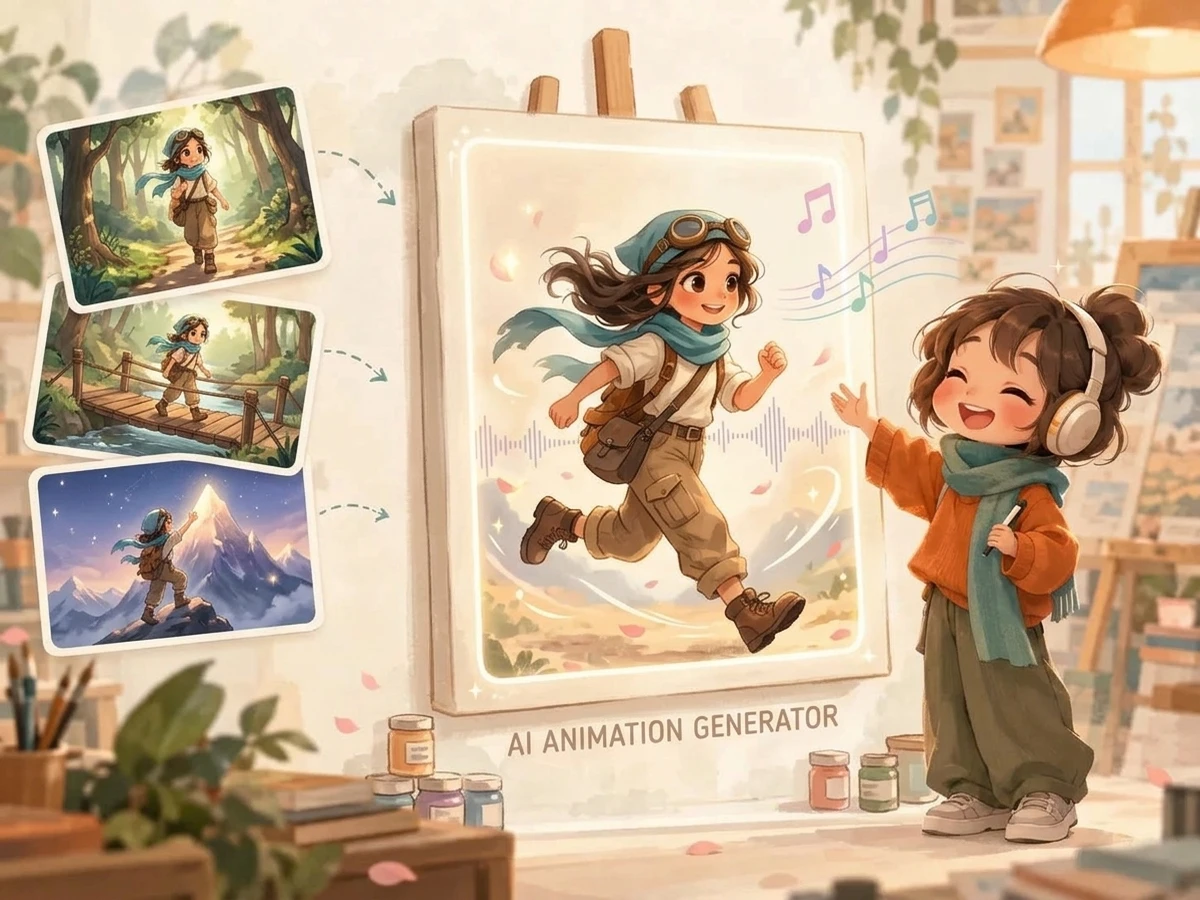
Cartoon story frames arranged around a central animation preview with character and audio panels

Cartoon stories, social shorts, and character teasers

Explore six starting points for your animation. These concept illustrations show subjects and visual directions, not completed videos; watch the studio animations above for actual results.

Adventure story idea

An inventor captain docks her airship at a mountain harbor. She adjusts her brass goggles and pulls a steam lever to lower the gangway.

Cartoon adventures for YouTube

Send your hero on a short adventure with a beginning, a problem, and a resolution. Reuse the character when you return to their story in a new episode.

Children's story adaptation

The little golden dragon practices breathing a gentle puff of purple sparkles, giggling as butterflies flutter around his snout.

Animated picture-book stories

Give a Storybook you have created a new way to be enjoyed. Turn its illustrations and narration into animated scenes while keeping the original book intact.

Vertical social comedy prompt

A chubby wizard cat tries a high-jump spell, floats upside down, and lands on a velvet pillow.

Vertical cartoon shorts

Turn a character joke, a small surprise, or a quick adventure into a vertical cartoon. Use 9:16 for Shorts, Reels, and TikTok.

Mascot promo beat

The cheerful robot mascot bounds into the frame, waves both hands warmly, and presents a glowing gift box with a joyful head nod.

Mascot stories and brand intros

Let an original mascot greet your audience, introduce a product, or lead a short brand story. Give the character an action viewers can remember.

Anime character story idea

A silver-haired swordsman draws a glowing blue katana in a shrine courtyard as autumn leaves swirl around his feet.

Anime character moments

Create a character reveal, an expressive reaction, or a magic moment in an anime style. Build the scene around the action you want viewers to notice.

Game backstory teaser

An armored wanderer explores ancient crystal ruins and kneels to inspect a glowing artifact resting in the moss.

Game lore and character teasers

Introduce a game character, reveal a piece of their backstory, or explore a corner of their world. Turn the idea into a short video teaser for your audience.

Shape your animation scene by scene

A close-up reaction, a character's first step, or a narrator's voice can change how a story feels. Shape those moments individually and bring them together in one animation.

An editable storyboard

An editable storyboard

See how your story unfolds before animating it. Rearrange the scenes, adjust what happens, and decide which characters appear in each moment.

A recurring cast

A recurring cast

Build your story around your own characters. Their reference images give each scene a shared starting point for faces, outfits, and other recognizable details.

Action and camera direction

Action and camera direction

Show the whole setting in a wide shot or focus on a reaction in close-up. Describe the movement you want and guide how the camera follows the scene.

Choose your favorite version

Choose your favorite version

Try a different expression, movement, or camera direction for one scene. Compare the versions and keep the one you like without starting the whole story again.

Landscape or vertical video

Landscape or vertical video

Tell a widescreen story in 16:9 or create a vertical 9:16 cartoon for Shorts, Reels, and TikTok. Choose the format that suits where your audience watches.

Narration, music, and captions

Narration, music, and captions

Give the story a narrator or character voice, add background music, and choose how captions appear. Download the finished cartoon as an MP4 to share.

How to turn a story into an animated video

Start with the story you want to tell. These four steps take you from a written idea to a cartoon with motion and sound.

1

1. Describe your story

Introduce your characters, the setting, and what happens. Choose a visual style and video format, or start from a Storybook you have already created.

2

2. Shape the storyboard

Review the story plan, adjust the scene order, and create the artwork. Make sure each scene shows the moment you want before adding movement.

3

3. Animate the story

Describe how your characters move and where the camera looks. Watch each scene, try another version where needed, and choose your favorites.

4

4. Add sound and share

Choose a narrator or character voice, add music and captions, and bring the scenes together. Preview your finished cartoon, then download the video.

Write animation prompts that are easier to direct

Give each scene one clear action and tell the camera what to follow. Try these prompt patterns when a moment is difficult to describe.

Use a slow camera move for a reaction

Keep the character's action small when you want viewers to notice an expression or discovery. Choose a close-up and a slow zoom-in rather than several competing moves.

Too vague or overloaded

Camera zooms everywhere while the detective looks shocked.

A clearer instruction

The detective's eyes widen as she notices a clue beside the streetlamp. The camera slowly moves closer to her face.

Give movement a clear direction

State where the character is going and how the camera follows. Avoid asking the subject to move in several directions during one short scene.

Too vague or overloaded

He runs very fast everywhere through the forest.

A clearer instruction

The elf runs from left to right along the woodland path, his cape moving behind him. The camera follows from the side.

Keep the camera still for a complex action

Let the action carry the scene. A still camera is a useful starting point when a character interacts with several moving objects.

Too vague or overloaded

Spin the camera around the sorceress while everything flies everywhere.

A clearer instruction

The sorceress raises her staff as three runes circle its tip. The camera stays still in a medium shot.

Give each scene one story beat

Give a longer sequence room to breathe by splitting it into scenes. An arrival, a discovery, and a reaction can each become their own moment.

Too vague or overloaded

She enters the cafe, buys coffee, talks to the barista, and sits down to read.

A clearer instruction

She pushes open the cafe door and steps inside, brushing snow from her red hood. The camera stays on the doorway.

Choose the workflow that fits your story

Making a story, animating one image, or editing a set of clips? Choose the starting point that matches what you want to create.

Feature / WorkflowAnimation StudioOur Cartoon Video toolA manual timeline editor
Starting pointA story idea or a Storybook you want to turn into a cartoon.A prompt or image for an individual video generation.Existing clips, audio, and other assets arranged on a timeline.
Scene organizationBuild and shape several scenes as one story.Focus on an individual video clip.Arrange and trim the clips yourself.
Creative controlGuide each scene's action and camera, then choose your favorite version.Describe the movement you want for the clip.Adjust cuts, layers, audio timing, and effects with the editor's tools.
Voice and final outputCreate one MP4 story with narration, captions, and optional music.Download an individual clip for sharing or further editing.Import audio and export the sequence using the editor's format settings.
When to use itA narrated cartoon story, picture-book adaptation, or short sequence with recurring characters.One moving image, a standalone character moment, or a quick model experiment.Projects that need precise cuts, custom transitions, or detailed audio edits.

Only need to animate one image? Try the AI Cartoon Video Generator. Start here when you want to plan and assemble several scenes into a story.

AI animation generator questions

Answers about creating cartoon stories, reusing characters, adding sound, and downloading your video.

An AI animation generator creates animated video from text or images. This tool focuses on cartoon stories: describe an idea, shape the storyboard, animate the scenes, and bring them together with narration, captions, and music.

AI Cartoon Generator Mascot

Start with a story you want to tell

A small adventure, a favorite character, or a picture-book moment. Turn your next idea into a cartoon story with motion and sound.