


Bilder im Cel-Shading-Stil
Verwandle ein Foto oder eine Idee in eine saubere cel-geshadete Alltagsszene.
Bild im Cel-Shading-Stil erstellenNutze dieselbe klare grafische Gestaltung für einen wiederverwendbaren Charakter, eine Alltagsszene, ein kurzes Video und eine illustrierte Geschichte.
Verwandle ein Foto oder eine Idee in eine saubere cel-geshadete Alltagsszene.
Bild im Cel-Shading-Stil erstellenAnimiere eine klare Aktion mit kräftigen Linien und Flächenfarbe.
Video im Cel-Shading-Stil erstellenPlane die Geschichte in mehreren Szenen und prüfe sie als Storyboard, bevor die Animation entsteht.
Baue eine illustrierte Nachbarschaftsgeschichte um deine gespeicherte Besetzung auf.
Bilderbuch im Cel-Shading-Stil erstellenCel-Shading-Kunst verwendet kontrollierte Konturen, große Grundfarbflächen und wenige Schattenbänder mit harten Kanten. Statt Licht und Schatten weich zu verblenden, teilt sie jede Oberfläche in klare grafische Formen und erhält dabei eine gut lesbare Tiefe mit einem animationsähnlichen Ergebnis.
Der Stil eignet sich besonders für ausdrucksstarke Charaktere, Alltagsszenen, Actionszenen, spielinspirierte Konzepte, Comics, Avatare und illustrierte Geschichten. Klare Silhouetten und begrenzte Schattierung machen Posen, Requisiten und Gesichtsausdrücke auch in kleinen Darstellungen verständlich.
Ein Cel-Shading-KI-Generator rekonstruiert das Motiv in dieser Bildsprache, statt einen festen Effekt über die Vorlage zu legen. Er interpretiert Gesichter, Kleidung, Materialien, Licht und räumliche Tiefe als neue Konturen und Farbbereiche, daher können sich die Ergebnisse unterscheiden.
Getrennte Licht- und Schattenflächen geben Formen Tiefe ohne weiche Verläufe.
Kontrollierte Konturen halten Personen, Haustiere, Objekte und Gesten auf einen Blick lesbar.
Große Farbflächen bewahren die Raumstruktur und einen sauberen Illustrationslook.

Starte mit einer geschriebenen Szene oder einem Referenzfoto und wähle dann das passende Format: Standbild, wiederverwendbare Figur, kurzes Video oder Bilderbuch.
Gehe von einem bekannten Foto aus oder beschreibe eine neue Szene. Das gewählte Preset baut sie mit grafischem Licht und Schatten neu auf.
Wähle eine JPG-, PNG- oder WebP-Referenz oder beschreibe Motiv, sichtbare Handlung, Requisiten und Ort.
Lasse Cel Shading ausgewählt, wähle ein Seitenverhältnis und lege fest, wie viele Ergebnisse du vergleichst.
Das Modell baut die Szene mit sauberen Konturen, großen Farbflächen und Licht und Schatten mit harten Kanten wieder auf.
Lade das Bild herunter, speichere eine wiederverwendbare Figur, animiere eine kurze Handlung oder entwickle ein Bilderbuch.
Wähle zuerst das Cel-Shading-Preset. Steuere im Prompt Motiv, Handlung, Requisiten, Umgebung und Komposition, statt Stil- oder Qualitätsbegriffe zu wiederholen.
Rolle, Outfit und ein Signaturobjekt geben der Szene einen klaren Blickpunkt.
Ein Kurier
Ein Solarradkurier mit amberfarbenem Visier, kobaltblauer Jacke, Paketbehältern und verstärkten Stiefeln
Eine entschiedene Handlung liest sich klarer als mehrere konkurrierende Ereignisse.
Leute zu Hause
Ein Großvater und seine Enkelin falten neben dem regnerischen Küchenfenster gemeinsam Papiervögel
Ein paar konkrete Umgebungsdetails machen einen gewöhnlichen Moment bewohnt.
Freunde beim Essen
Zwei Freunde teilen sich Nudeln zum Mitnehmen auf einem Wohnungsbalkon neben aufgehängter Wäsche und Kräutertöpfen
Ein klares Hauptmotiv und eine kurze Requisitenliste führen meist zu einem stimmigeren Ergebnis.
Eine belebte Stadt, in der viel passiert
Eine Dachgärtnerin deckt Setzlingstabletts ab, während Regen über die Abend-Skyline zieht
Starte mit einer gespeicherten Figur und setze diese Identität in einer eigenständigen Szene, einem kurzen fokussierten Video und einem vollständigen Bilderbuch ein.
Halte die bestätigte Identität für spätere Arbeiten verfügbar.
Gib der Figur eine neue Handlung in einem bewohnten Umfeld.
Wähle die gespeicherte Figur für eine kurze, auf eine Handlung fokussierte Einstellung.
Gliedere die Idee in verbundene Szenen und prüfe die ganze Geschichte als Storyboard, bevor irgendeine Animation gerendert wird.
Weise die gespeicherte Hauptfigur bei der Planung des Bilderbuchs zu.
Vergleiche fünf verwandte Looks und öffne die Stilseite, die am besten zu deinem nächsten Bild passt.

Verwandeln Sie eine Idee oder ein Foto, das Sie verwenden dürfen, in originelle Comic-Kunst mit markanten Posen, starken Silhouetten, kräftiger Tusche und klarer dramatischer Spannung.
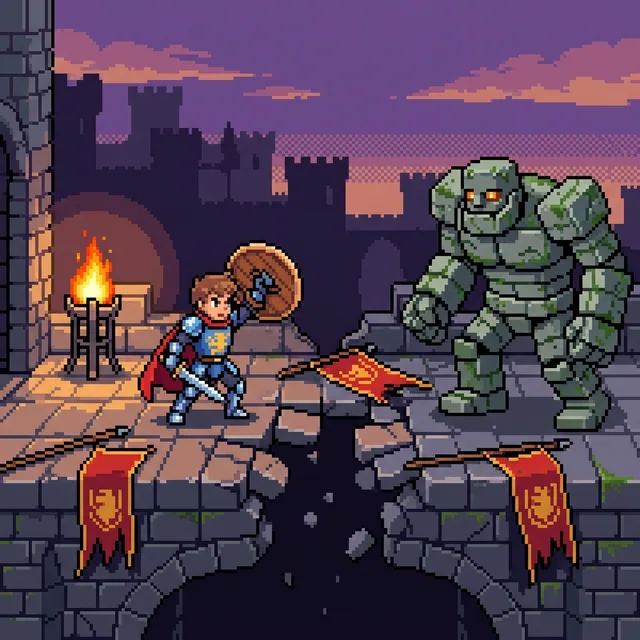
Verwandeln Sie eine geschriebene Idee oder ein Lieblingsfoto in gestochen scharfe Pixel-Art mit sichtbaren quadratischen Pixeln, kantigen Farbgruppen und einer fokussierten, begrenzten Farbpalette. Erstellen Sie Pixel-Porträts, Haustiere, Szenen und originelle Charaktere und führen Sie diese in Videos oder illustrierten Geschichten fort.
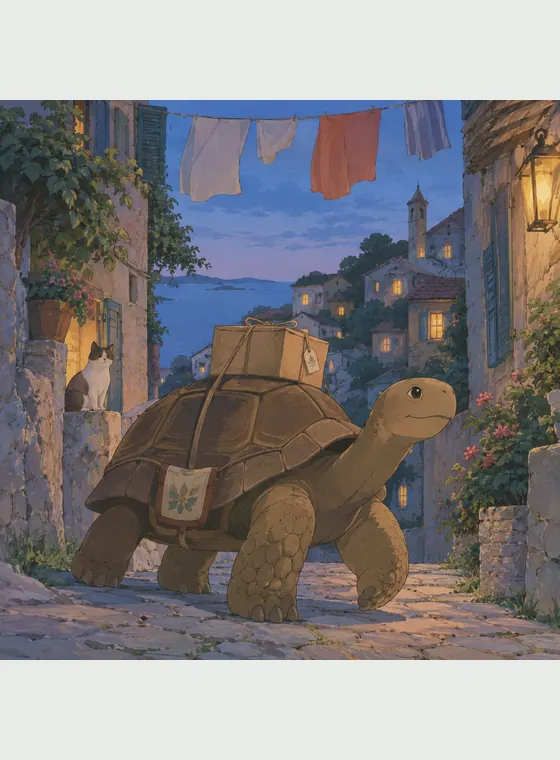
Verwandeln Sie ein Foto oder eine eigene Idee in eine Anime-Szene mit handgemaltem Anime-Look, sanften Farben, feinen Details und einer authentischen Atmosphäre.

Verwandeln Sie ein Foto oder eine Idee in originelle 2D-Animationskunst mit ausdrucksstarkem Schauspiel, anmutigen Formen und einer warmen, geschichtenorientierten Inszenierung.

Verwandle ein Foto oder eine geschriebene Idee in farbenfrohe Voxel-Art mit kubischen Figuren, rasterartig aufgebauten Landschaften und klar erkennbaren Handlungen in einer Blockwelt. Erstelle anschließend wiederverwendbare Figuren, animierte Videos und illustrierte Geschichten.
Cel Shading gibt Porträts, Haustieren, Alltagsmomenten, Actionszenen und eigenen Ideen eine saubere visuelle Struktur. Die Kombination aus grafischer Klarheit und genug Tiefe trägt Figurenkonzepte, Social-Media-Bilder, Erzählszenen und Animationsreferenzen.
Erfinde eine Szene aus einem Prompt oder baue Motiv und Komposition eines Referenzfotos nach.
Schatten mit harten Kanten und zurückgenommene Glanzlichter heben das Ergebnis von glattem 3D und malerischer Illustration ab.
Speichere eine bestätigte Identität und führe sie durch Varianten, Bilder, Videos und Bilderbücher weiter.
Starte mit den verfügbaren Gratis-Credits und lade generierte JPG-, PNG- oder WebP-Bilder ohne sichtbares Plattform-Wasserzeichen herunter.
Ein KI-Bildwerkzeug, das Text oder ein Referenzfoto in eine Illustration mit kontrollierten Konturen, flächigen Farben und Schattenbändern mit harten Kanten verwandelt.

Verwandle ein Foto oder eine schriftliche Idee und speichere den passenden Charakter, um mit einem Video oder einer illustrierten Geschichte weiterzumachen.