
セルシェーディングAI生成


プロジェクト全体で使えるセルシェーディング
再利用できるキャラクター、日常のシーン、短い動画、イラスト絵本に同じ明快な表現を使えます。
セルシェード風アニメーションストーリー
物語を絵コンテに分解して複数シーンの流れを確認してから、アニメーション制作へ進めます。
セルシェーディングとは?
セルシェーディングは、整った輪郭線、広いベースカラー、境界のはっきりした少数の影を使います。明暗を滑らかに混ぜず、各面を明確なグラフィック形状に分けることで、奥行きを保ちながらアニメーションのような仕上がりにします。
表情豊かなキャラクター、日常の場面、アクション、ゲーム風のコンセプト、コミック、アバター、物語のイラストに適しています。強いシルエットと控えめな陰影により、小さな表示でもポーズや小道具、表情を読み取りやすくします。
セルシェーディングAI生成は、元画像に固定フィルターを重ねるのではなく、この視覚表現で被写体を再構成します。顔、服、素材、光、空間の奥行きを新しい輪郭と色の領域として解釈するため、生成ごとに結果が変わることがあります。
縁のはっきりした影の帯
光と影の面をはっきり分けることで、柔らかいグラデーションなしで奥行きが出ます。
くっきりしたシルエット
輪郭を制御することで、人、ペット、物、しぐさが一目で読めます。
平塗りでも読める奥行き
大きな面の色が空間構造を保ちながら、插画らしい仕上げにします。

セルシェーディングのアイデアを形にする実用的な制作環境
文章でシーンを書くか参照写真から始めて、作品に合う形式を選べます。静止画、再利用できるキャラクター、ショート動画、絵本です。
- 無料クレジットで開始
- プラットフォームの透かしなし
- 写真とテキストの入力
- 画像、動画、キャラクター、絵本
セルシェーディング画像の作り方
使い慣れた写真から始めるか新しいシーンを書いて、選んだプリセットが光と影をグラフィカルに組み立て直します。
写真をアップロード or シーンを記述
JPG・PNG・WebP の参照を選ぶか、主体、見える動き、小道具、場所を書きます。
セルシェードを選んで構図を決める
セルシェードを選んだまま、アスペクト比と比較する結果の数を決めます。
セルシェード版を生成
モデルがシーンを、きれいな輪郭、大きな色面、縁のはっきりした光と影で再構築します。
ダウンロード or 制作を続ける
画像をダウンロードし、再利用できるキャラクターを保存し、短い動きをアニメーション化し、絵本を展開します。
セルシェーディング画像を作るプロンプトのコツ
まずセルシェードのプリセットを選びます。プロンプトではスタイルや品質の言葉を繰り返さず、主体、動き、小道具、環境、構図を指定します。
主体に分かりやすい役割を与える
役割、服装、象徴的な小道具があると、シーンに明確な焦点が生まれます。
配達員
琥珀色のバイザー、コバルトジャケット、荷物容器、補強ブーツを身につけたソーラーバイクの配達員
見える動きをひとつ書く
決定的な動きひとつのほうが、競合する複数の出来事より明確に伝わります。
家で過ごす人々
雨の日のキッチンの窓のそばで、一緒に折り紙の鳥を折る祖父と孫娘
環境を固定する
具体的な周囲の物が少しあると、日常の瞬間に生活感が出ます。
食事をする友人
アパートのバルコニーで、干した洗濯物とハーブの鉢のそばでテイクアウトの麺を分け合う二人の友人
構図を絞る
焦点の定まった主体と短い小道具リストが、まとまりのある結果につながります。
多くのことが起きている賑やかな街
夕方の街並みに雨が迫るなか、苗のトレイを覆う屋上の庭師
ひとりのキャラクターでセルシェードの物語をつくる
保存したキャラクターを出発点に、独立したシーン、ひとつの动作に絞ったショート動画、完全な絵本まで同じ姿で展開できます。
ほかのイラストスタイルも見る
関連する5つの仕上がりを比べ、次に作りたい画像に合うスタイルページを開けます。

マーベル風
文章で描いたアイデアや使用許可を得た写真を、明快なポーズ、力強いシルエット、太いインク線、緊迫感のある物語表現を備えたオリジナルのコミックアートに変換します。
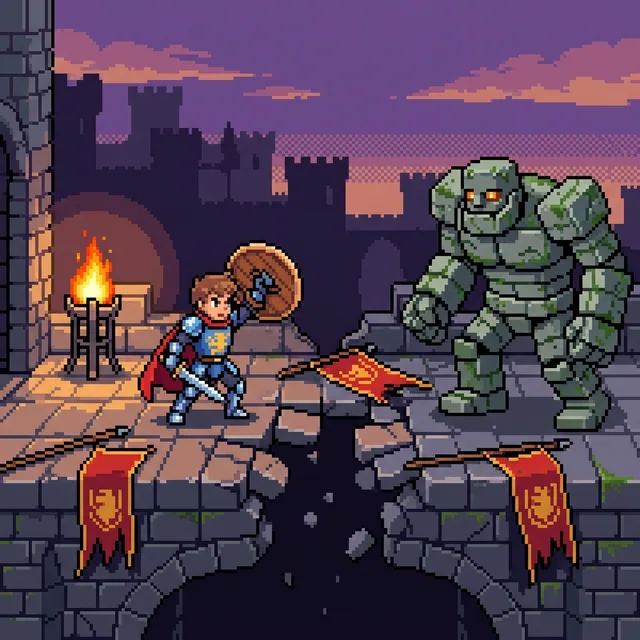
ドット絵
テキストからドット絵を作成したり、お気に入りの写真をドット絵に変換したりできます。輪郭がはっきりしたスクエアピクセル、シャープな色面、制限されたカラーパレットで表現された美しいドット絵を作成しましょう。ポートレート、ペット、背景シーン、オリジナルのドット絵キャラクターを作成し、さらに動画やイラスト付きストーリーへと展開できます。
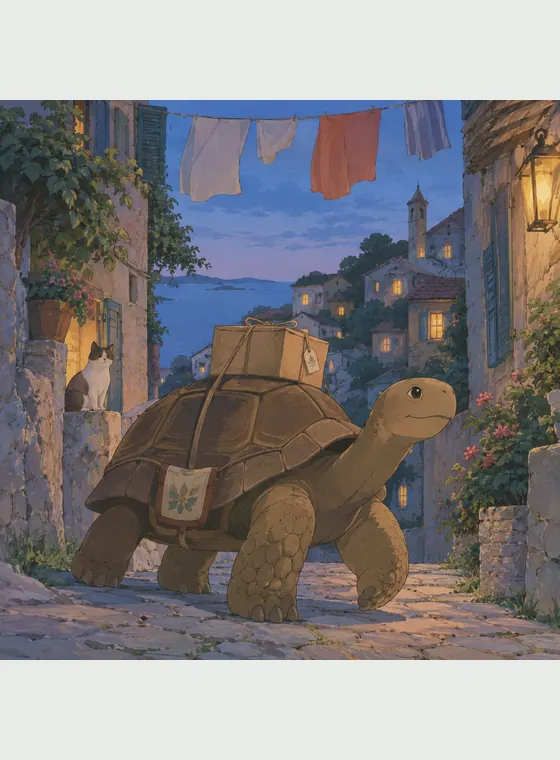
ジブリ風
写真やオリジナルのアイデアから、柔らかな色彩、細やかな観察、そして確かな空気感を持つ手描きアニメ風のシーンを作り出します。

ディズニー風
写真や文章から、表情豊かな顔、美しいフォルム、温かみのある物語性を感じる2Dアニメーションアートを作り出します。

マイクラ風
人物、ペット、建物、風景の写真をアップロードしてマイクラ風のボクセルアートに変換できます。文章から新しいブロック世界を作ることも可能です。元画像に単純なピクセルフィルターを重ねるのではなく、主体、背景、光を立方体の形で再構成します。
セルシェーディングAI生成を使う理由
セルシェーディングは、ポートレート、ペット、日常の瞬間、アクションシーン、オリジナルのアイデアにきれいな視覚構造を与えます。グラフィックの明快さと十分な奥行きの組み合わせが、キャラクター案、SNS 画像、物語のシーン、アニメーション参考を支えます。
テキストと写真の入力
プロンプトからシーンを生み出すか、参照写真の主体と構図を再構築します。
明確なグラフィックの光
縁の際立った影と控えめなハイライトが、滑らかな 3D 描写や筆致の強いイラストと差をつけます。
再利用できるキャラクター制作
承認した姿を保存して、バリエーション、画像、動画、絵本で使い続けられます。
実用的な画像書き出し
用意された無料クレジットで始めて、透かしなしの JPG・PNG・WebP 画像をダウンロードできます。
セルシェーディングAI生成に関するよくある質問
テキストや参照写真を、制御された輪郭、平塗りの色、縁のはっきりした影の帯を持つイラストに変える AI 画像ツールです。
