
Cartoon Avatars
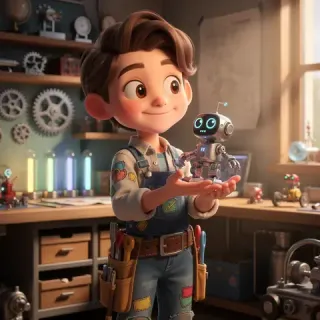
Turn a clear headshot into distinctive profile art for social accounts, communities, games, or creator branding.
See how portraits, couple photos, pets, food, and favorite places can become polished cartoon artwork while the subject stays easy to recognize.
Turn a clear headshot into distinctive profile art for social accounts, communities, games, or creator branding.
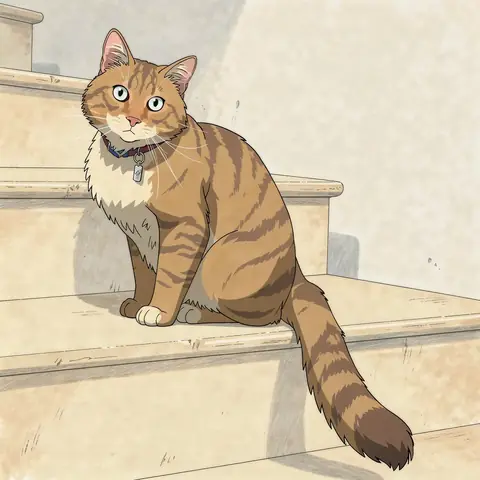
Keep familiar markings, expressions, and personality in a playful pet portrait made for sharing or gifting.
Transform an everyday portrait into polished illustrated artwork without losing the features that make the person recognizable.
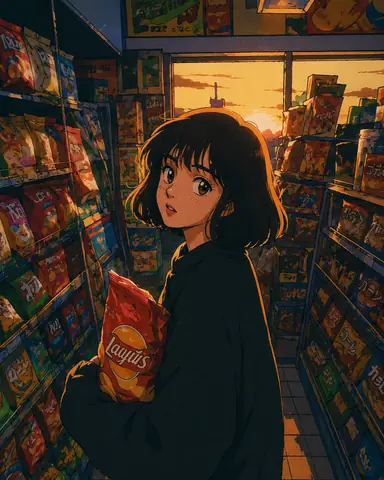
Reimagine a favorite travel photo with cleaner shapes, richer color, and a storybook or animated-film mood.
Turn a favorite photo together into a warm 3D cartoon portrait for anniversaries, gifts, invitations, or shared profiles.
Redraw a recognizable dish or product as bold cartoon artwork for menus, posts, packaging concepts, or promotional graphics.
Photo to cartoon AI uses your uploaded image as a visual reference, then redraws the subject in a cartoon style. Unlike a fixed filter, it can rebuild linework, color, lighting, texture, and background details while following recognizable features from the original photo.
Use a portrait, pet, product, or place when likeness, pose, markings, or composition matter.
Switch between American cartoon, 3D toon, anime, classic TV cartoon, claymation, and other curated styles.
Generate without writing a prompt, or add one optional note to preserve or change a specific detail.
Move from an everyday photo to reusable cartoon artwork without learning illustration software or model settings.
Go from a source photo to a downloadable cartoon in four focused steps.
Drag, drop, paste, or browse for a JPG, PNG, or WebP image up to 5 MB. A clear photo with one main subject gives the AI the strongest reference.
Pick American Cartoon, 3D Toon, Anime, Classic TV Cartoon, or Claymation. Add an optional note only when you want to keep or change a specific detail.
The AI reads the subject, face, pose, and composition, then redraws the image in your selected style. Most image generations take about 30–60 seconds.
Download the 1K result with no visible watermark, share it, or reuse the strongest version as a reference for another edit.
One photo, five cartoon directions. Compare the look before you generate.
Better source photos give the AI clearer details to follow. You do not need a longer prompt; start with a stronger image.
Choose even lighting, a visible face, and minimal motion blur. Avoid heavy shadows, sunglasses, and objects covering key features.
Single-person photos are the most reliable. For couples or groups, keep every face large, sharp, and clearly separated.
Cats and dogs work especially well when their eyes, ears, coat markings, and full face are visible.
A higher-resolution source gives the AI more useful detail. Upscaling a tiny or blurry screenshot cannot restore missing facial detail.
Choose based on how closely the result must follow your photo, how much control you need, and whether you want to install another app.
| Dimension | Photo to Cartoon AI | Hand-Drawn | Mobile Apps | General AI Tools |
|---|---|---|---|---|
| Photo likeness | Reference-aware generation designed to retain recognizable details. | Can be highly accurate; depends on the artist, brief, and revisions. | Often keeps the photo structure but applies a more fixed effect. | Varies by model and instructions; repeated prompting may be needed. |
| Style choice | American Cartoon, 3D Toon, Anime, Classic TV Cartoon, Claymation, and more. | Depends on the artist’s skills and the agreed brief. | Usually limited to the app’s preset filters. | Broad range, but style control depends on prompting and model behavior. |
| Free and watermark-free | Free starter credits; generated images have no visible platform watermark. | Usually paid; watermark terms depend on the artist. | Varies; free exports may include a watermark or paywall. | Free limits and export terms vary by product and plan. |
| Photo handling | Uses AI and storage providers; retention is disclosed in the Privacy Policy. | Depends on the artist’s storage and delivery process. | Depends on the app and its privacy policy. | Depends on the provider, account settings, and policy. |
| Typical turnaround | About 30–60 seconds for most image generations. | Hours to days, plus revision time. | Usually seconds after upload. | Usually seconds to minutes, depending on demand and complexity. |
| App download | No — works in a web browser. | No app, but commissioning and communication are required. | Often yes. | Usually no for web tools; mobile apps may also be available. |
Uploaded photos may be processed by third-party AI and storage providers. Review the Privacy Policy for current handling and retention details.
Answers about how photo cartoonization works, what it costs, which images perform best, and what happens to your upload.
A photo to cartoon AI converter uses an uploaded image as a visual reference and redraws the subject in a cartoon style. It can transform portraits, pets, products, and scenes without requiring drawing skills or a detailed prompt.
Upload one clear photo, choose a style, and create a cartoon that still feels like your subject.
