
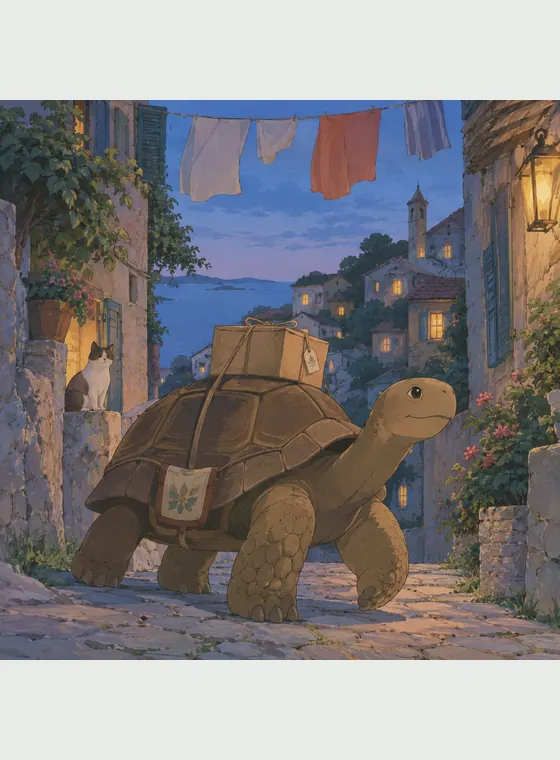


Ghibli Style Images
Transform a photo or compose a scene around the same lead.
Create a Ghibli style imageCreate an original cast, narrative images, short videos, animated story storyboards, and narrated storybooks in one visual style. Save a lead when you want continuity across connected projects.
An original reusable character who carries the same face, hairstyle, and outfit into every Ghibli-style format on this page.
Transform a photo or compose a scene around the same lead.
Create a Ghibli style imageSelect a saved Character Asset and animate one stable action with subtle environmental motion.
Create a Ghibli style videoPlan a multi-scene story and preview it as a storyboard before animating.
Create a Ghibli style animated storyBuild a short illustrated story around the same cast, then add page narration and a captioned story video.
Create a narrated storyGhibli style is a popular search term for hand-drawn anime imagery with delicate linework, painterly environments, muted natural color, expressive but believable figures, and careful attention to weather, movement, rooms, streets, and landscapes. Rather than chasing a flawless digital surface, this visual language lets pencil texture and small signs of use remain visible.
People choose this look because it can make a familiar walk home, a meal, a train platform, or a sudden change in weather feel emotionally specific. The strongest scenes pair a readable human gesture with an environment that has its own purpose, scale, and atmosphere.
Our generator interprets the subject, pose, composition, light, palette, and texture together instead of laying a fixed filter over the source. It creates original artwork inspired by a broad hand-painted animation tradition. It is not official Studio Ghibli artwork and is not affiliated with or endorsed by Studio Ghibli.
Fine contours, soft brush texture, and slightly uneven color keep an image tactile rather than plastically smooth.
Useful objects, ordinary gestures, and lived-in settings give a single image a sense of what came before and after.
Weather, window light, distant haze, dusk, and moving air establish mood without eclipsing the subject.

Turn photos and written ideas into Ghibli style artwork, with flexible tools for images, original cast designs, short videos, and illustrated storybooks.
Use a reference photo when the subject or composition matters, or begin with text to invent an original scene.
Drag, drop, paste, or browse for one JPG, PNG, or WebP image up to 30 MB. For text creation, describe the subject, action, setting, and mood in your own words.
Keep Ghibli selected, choose an aspect ratio that suits the scene, and select the available generation options that matter to your composition.
For photos, the model uses recognizable subject details and composition as a reference while redrawing the image. For text, it builds a new scene from your description.
Download the result, save an approved reference, create another scene, or select the saved lead directly in the video or storybook workflow.
The selected preset already supplies the visual direction, so use your prompt for the subject, action, environment, composition, light, and mood.
Choose a few memorable traits, clothes, and objects that can remain readable across scenes.
A young woman
A young map archivist with a chestnut bob, a moss field jacket, rust trousers, brown boots, and a brass compass on a red cord
A simple action gives the pose and surrounding objects a clear reason to exist.
Someone having an adventure
A map archivist steadying a fluttering route chart as a train arrives at a misty hill station
Name practical objects, signs of use, and spatial relationships instead of asking for generic background detail.
A cozy room
A compact mountain archive with map drawers, rolled trail charts, a brass lamp, raincoats by the door, and terraced hills beyond the window
Let one light source and a small environmental movement carry the atmosphere.
Beautiful cinematic lighting
Cool morning sun through thin cloud, paper edges lifting in the breeze, pale green hills fading into mist, quietly hopeful mood
Use one approved Character Asset to keep the protagonist recognizable across independent still scenes, animated motion, and illustrated pages.
Generate a clear full-body or three-quarter reference, then save the approved result to My Characters.
Create a Ghibli style characterReuse the saved reference to describe one action, setting, time of day, and emotional beat for a separate image example.
Create a Ghibli style imageChoose the saved Character Asset directly, then add one subject action plus restrained environmental movement.
Create a Ghibli style videoBreak the idea into connected scenes and review the whole story as a storyboard before any animation is rendered.
Plan an animated storyChoose the saved lead directly, then plan a short narrative where cast, props, setting, and painted direction connect every page.
Create a Ghibli style storybookCompare five related looks, then open the style page that best fits your next image.

Use this chibi generator to turn a photo into a compact, expressive character or create original chibi art from a written idea.

Use this watercolor AI generator to turn a photo into watercolor art or create an original scene from text, with transparent washes, soft edges, and visible paper texture.

Turn a photo or a written idea into original 2D animation art with expressive acting, graceful shapes, and warm story-focused staging.

Turn text or photos into cel-shaded art with crisp outlines and hard-edged shadows, then continue into characters, videos, and storybooks.

Create expressive 3D cartoon images from a photo or a written idea, then carry the same visual direction into reusable characters, animated videos, multi-scene animated stories, and illustrated storybooks.
This direction suits portraits, pets, travel memories, quiet fantasy, cast designs, illustrated stories, and scenes where atmosphere matters as much as the subject. Compared with glossy 3D cartoon art, it favors drawn contours, flatter painted color, and visible texture. Compared with high-contrast action anime, it leaves more room for natural posture, everyday objects, weather, and reflective moments.
Transform a familiar photo or compose an entirely original subject and setting from a written idea.
Restrained detail, pencil-like lines, and painted color preserve warmth instead of chasing digital polish.
Save an approved reference and reuse it across variations, new scenes, short videos, and storybook pages.
Move from an approved lead to new scenes, short videos, and illustrated pages without restarting the visual direction.
Answers about photos, prompts, subject consistency, video, quality, and responsible use.
A Ghibli style AI generator creates original hand-painted anime artwork from a photo or text prompt, emphasizing visible linework, soft color, natural light, expressive figures, and atmospheric settings. This independent tool is not affiliated with, endorsed by, or operated by Studio Ghibli.

Transform a photo you have permission to use or begin with an original scene, then continue with the lead and world you create.