


Makoto Shinkai Style Images
Place an original subject in a detailed setting with room for the sky and the story.
Create an anime sceneMake images, short videos, animated stories, and illustrated storybooks in the same visual direction. Save an original lead when you want that person to return in another project.
A coastal weather observer who follows the returning wind home, carrying a paper wind gauge and a teal satchel.
Place an original subject in a detailed setting with room for the sky and the story.
Create an anime sceneGive a quiet moment movement, from a turning paper wind gauge to a ferry crossing the bay.
Create a cinematic anime videoPlan connected scenes and review the story as a storyboard before generating animation.
Plan an anime animated storyPreview an illustrated story spread, then create your own book in the Storybook tool.
Create an anime storybookMakoto Shinkai style commonly describes cinematic anime imagery with expansive skies, closely observed streets and buildings, and light that gives an ordinary place emotional weight. Painted clouds and reflections sit beside clean character outlines. A railway platform, apartment balcony, or rain-soaked stairway can matter as much as the person in the frame.
That balance suits travel memories, original character scenes, landscape illustrations, and story ideas about leaving, waiting, or coming home. Give the setting a role: a distant ferry can suggest a return, while a small figure beneath a wide sky can make a journey feel larger.
This AI generator interprets those broad visual characteristics from your photo or description. It redraws the scene rather than applying a color overlay, so faces, architecture, lettering, and small details may change. AI Cartoon Generator is independent and is not affiliated with or endorsed by Makoto Shinkai or CoMix Wave Films. Results are AI-generated interpretations, not official film artwork.
Layers of cloud and a visible horizon give the setting scale beyond the foreground subject.
Wires, windows, railings, and reflected surfaces make a neighborhood feel inhabited.
Sunlight through clouds or reflected across wet paving helps a simple action carry emotion.

Try a street photo, a pet picture, or an original scene description. Review the result before downloading or taking the idea into another creative tool.
Use a photo when the place or subject matters, or start with text for a scene that does not exist yet.
Choose a clear reference you have permission to use. For text generation, name the subject, one action, useful props, and the setting.
The Makoto Shinkai preset supplies the visual direction. Choose an aspect ratio that leaves enough space for both the subject and its surroundings.
Review the interpretation against your idea or reference. Check faces, hands, building edges, pet markings, and any signs that should be removed or corrected.
Download the accepted image, adjust the next prompt, or save a suitable character for a new scene, video, or storybook.
The preset already supplies the style. Use your words to explain who is there, what is happening, and why the setting belongs in the frame.
Name an outfit, hairstyle, or practical accessory that remains readable in the scene.
A pretty anime person
A coastal weather observer with a short chestnut bob, a mustard field jacket, and a teal satchel
A concrete gesture is easier to stage than an abstract emotion or several events at once.
A moving story about hope
A weather observer raises a paper wind gauge while sitting on a low seawall
Choose a few details that give the place depth and suggest what happens next.
An amazing city background
An empty coastal station with a wooden bench, overhead wires, and a ferry approaching the far headland
Use a viewpoint or a physical change in the weather when it affects what the viewer can see.
Beautiful lighting and atmosphere
Seen from a hilltop road, a village and a winding river stretch below a gap in the rain clouds
Save a Character Asset first. The scene image, video, and storybook can each use that saved reference directly; the image is an example, not a required input to the other tools.
Generate a clear reference, check the identity details, and save the accepted result to My Characters.
Create an anime characterSelect the saved lead and describe a new pose in a place that supports the story.
Create a connected sceneSelect the same saved reference in the video tool and describe one action with restrained background movement.
Create a short anime videoPlan the story across several scenes. The preview here is a storyboard image, not a finished animation.
Plan an animated storyAssign the saved lead in the Storybook tool, review the plan, and generate the pages. The example here is a static spread preview.
Create an anime storybookCompare five related looks, then open the style page that best fits your next image.
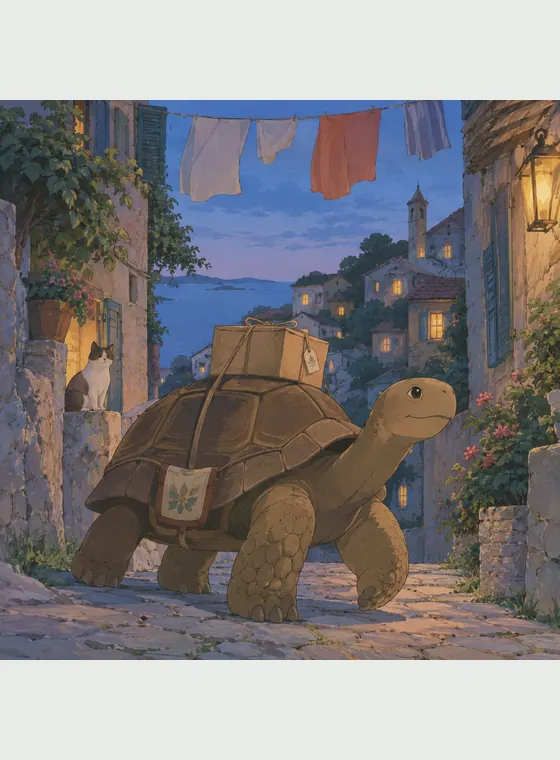
Turn a photo or an original prompt into a hand-painted anime scene with soft color, observed detail, and a grounded sense of place.

Turn a photo into a retro 90s anime frame, or describe an original scene and watch it render with confident ink lines, flat cel shading, and nostalgic VHS-era color.

Turn text or photos into cel-shaded art with crisp outlines and hard-edged shadows, then continue into characters, videos, and storybooks.

Use this watercolor AI generator to turn a photo into watercolor art or create an original scene from text, with transparent washes, soft edges, and visible paper texture.

Turn a photo or a written idea into original 2D animation art with expressive acting, graceful shapes, and warm story-focused staging.
Choose this direction when the setting needs to carry part of the story. Compared with a compact chibi portrait or a flat cel-shaded illustration, it gives more attention to distance, weather, reflected light, and the relationship between a person and a place.
Use a street or landscape photo as a starting point, then compare the generated architecture and layout with your source.
Describe a station, rooftop, coast, or room and give the frame one clear event.
Leave room for clouds, buildings, and the horizon instead of filling every composition with a close-up face.
Save a suitable character reference and select it for another project, checking consistency in every result.
Answers about photos, prompts, character reuse, costs, and responsible use.
It creates AI-generated anime imagery from a photo or text using a preset associated with luminous skies, detailed everyday settings, and cinematic light. It produces an interpretation rather than an official film image.

Start with a photo you can use or describe an original moment. Keep the Makoto Shinkai preset selected, then review the scene it creates.