

Disney Style Images
Transform a photo or compose a new scene around the same lead.
Create a Disney style imageCreate original characters, narrative images, short videos, animated story storyboards, and narrated storybooks in one visual direction, with a saved lead available for connected projects.
An original reusable character who carries the same face, hairstyle, and outfit into every Disney-style format on this page.
Transform a photo or compose a new scene around the same lead.
Create a Disney style imageGive the saved lead one readable action with subtle movement and sound.
Create a Disney style videoPlan a multi-scene story and preview it as a storyboard before animating.
Create a Disney style animated storyPlan an original illustrated story around the saved cast, then add narration and a captioned story video.
Create a narrated storyDisney style is a common search term for classic 2D hand-drawn animation with clean silhouettes, expressive faces, graceful body movement, appealing shape language, rich color, and staging that makes a character's intention easy to read.
People choose this direction for portraits, pets, original characters, family scenes, and visual stories because a simple gesture can feel warm, theatrical, and emotionally clear. Props and environments usually support the action instead of competing with it.
The generator reconstructs the subject, pose, linework, color, expression, and setting together rather than applying a fixed overlay. It creates original artwork inspired by a broad hand-drawn animation tradition. This independent tool is not affiliated with, endorsed by, or operated by The Walt Disney Company.
Eyes, brows, posture, and hands make the subject's intention readable at a glance.
Clear silhouettes, flowing contours, and balanced proportions keep characters lively and approachable.
Color, props, weather, and architecture reinforce the visible action and emotional beat.

Start with a photo or prompt, then continue into original characters, still scenes, and illustrated stories.
Use a reference photo when likeness or composition matters, or begin with text for an original scene.
Add one JPG, PNG, or WebP image up to 30 MB, or describe the subject, visible action, practical props, and setting.
Keep Disney selected, choose an aspect ratio, and set the available generation options for the composition you need.
Photo creation redraws the reference subject and scene; text creation builds an original composition from your description.
Download the image, save a strong character reference, create another scene, or continue into the storybook tool.
The selected preset supplies the visual style. Use your prompt for the subject, one visible action, tangible props, setting, and mood.
Choose a few stable facial, hair, clothing, color, and accessory details.
A woman
A young traveling stage designer with warm brown skin, an auburn braided crown, an emerald coat, plum trousers, brown boots, and a brass folding theater
A clear action gives the pose, expression, and surrounding objects a purpose.
A magical adventure
A stage designer opens a miniature theater as children gather around the paper curtains
Name useful background elements and spatial relationships instead of asking for generic detail.
A beautiful town
A riverside quay with orchard boats, painted shopfronts, hanging pennants, mooring posts, and families facing a small stage
Use one light source and one environmental movement to clarify the emotional beat.
Epic cinematic lighting
Warm sunset across the quay, paper pennants moving in a light breeze, an expectant crowd, and a hopeful mood
Use an approved Character Asset so the same original protagonist can anchor still images, a short video, and illustrated pages.
Generate a clear full-body reference and save the approved result to My Characters.
Create a Disney style characterSelect the saved character, then describe one action, setting, time of day, and story beat.
Create a Disney style imageSelect the same saved character, describe one stable action, and review the short clip with its generated ambience.
Create a Disney style videoBreak the idea into connected scenes and review the whole story as a storyboard before any animation is rendered.
Plan an animated storyChoose the same saved lead, review the story plan, and generate connected page illustrations.
Create a Disney style storybookCompare five related looks, then open the style page that best fits your next image.

Use this chibi generator to turn a photo into a compact, expressive character or create original chibi art from a written idea.

Create expressive 3D cartoon images from a photo or a written idea, then carry the same visual direction into reusable characters, animated videos, multi-scene animated stories, and illustrated storybooks.
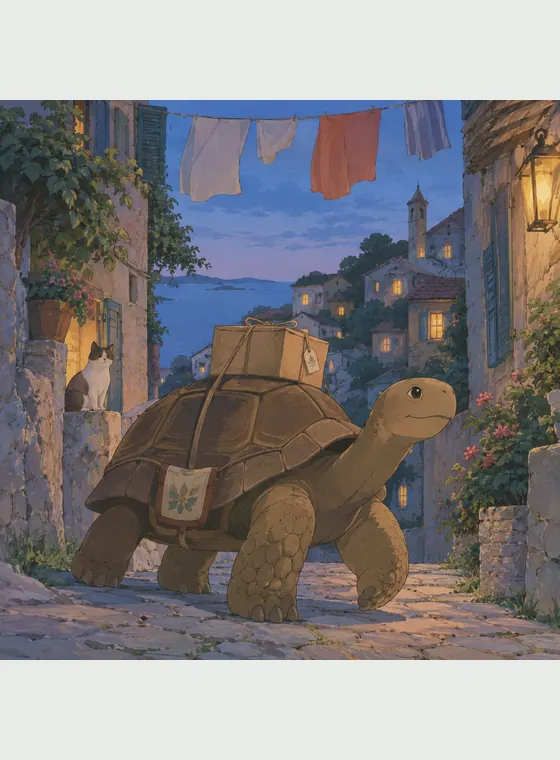
Turn a photo or an original prompt into a hand-painted anime scene with soft color, observed detail, and a grounded sense of place.

Use this watercolor AI generator to turn a photo into watercolor art or create an original scene from text, with transparent washes, soft edges, and visible paper texture.

Turn text or photos into cel-shaded art with crisp outlines and hard-edged shadows, then continue into characters, videos, and storybooks.
This visual direction works well for expressive portraits, pets, original cast designs, family scenes, theatrical moments, and illustrated stories. Compared with glossy 3D cartoon art, it favors drawn contours and flatter painted color. Compared with action-heavy comic art, it places more emphasis on readable acting, graceful movement, and emotional staging.
Transform a familiar subject or compose an original character and setting from a written idea.
Clear lines, expressive shapes, and story-led color create warmth without a plastic 3D surface.
Save an approved reference and use it in controlled variants, new scenes, and storybooks.
The generator rebuilds shapes, expression, linework, color, light, and environment as a new image.
Answers about photo transformation, prompts, original characters, short videos, image quality, and responsible use.
It is a generative tool that creates original 2D animation-inspired artwork from a photo or written prompt, with expressive characters, clean silhouettes, and story-focused staging. This independent tool is not affiliated with, endorsed by, or operated by The Walt Disney Company.

Transform a photo you have permission to use or begin with an original character and story moment.