


Watercolor Style Images
Transform a photo or compose an independent scene around the same lead.
Create a watercolor imageMake original characters, painted scenes, short videos, animated story storyboards, and illustrated storybooks in the same visual direction. Save a character reference when you need the same lead across projects.
Transform a photo or compose an independent scene around the same lead.
Create a watercolor imageGive the saved lead one readable action with restrained environmental movement.
Create a watercolor videoPlan a multi-scene story and preview it as a storyboard before animating.
Create a watercolor animated storyPlan an original story around the saved cast, then generate connected watercolor pages.
Create a watercolor storybookWatercolor style uses transparent color washes on light paper, allowing white space and the paper surface to remain part of the image. Soft transitions, uneven pigment, and small shifts at an edge give the medium its recognizable lightness.
People choose this direction for portraits, pets, travel scenes, home projects, and picture-book moments because it can keep a subject clear while letting light, weather, and surrounding details feel relaxed and handmade.
The generator interprets the subject, pose, composition, color, edges, and setting together rather than laying a fixed filter over a source image. It creates original artwork inspired by watercolor techniques, not a reproduction of a particular artist's work.
Light passes through diluted color and lets paper white remain visible in highlights and open areas.
Wet color can spread, meet, and settle unevenly, giving skies, fabric, foliage, and shadows a natural movement.
Paper grain and varied brush marks support the scene without covering its action, face, or useful details.

Start with the AI watercolor generator to turn a photo into watercolor art or build a scene from text. You can then continue with original characters, still images, video, and illustrated stories.
Use the photo-to-watercolor workflow when likeness or composition matters, or begin with text for an original scene.
Add one JPG, PNG, or WebP image up to 30 MB, or describe the subject, visible action, practical props, and setting.
Keep Watercolor selected, choose an aspect ratio, and set the available generation options for the composition you need.
Photo to watercolor generation redraws the reference subject and scene; text creation builds an original composition from your description.
Download the image, save a strong character reference, create another scene, or continue into the storybook tool.
The selected preset supplies the visual direction. Use your prompt for the subject, one visible action, tangible props, setting, and mood.
Choose stable details for hair, clothing, colors, and one useful accessory.
A woman
A young field botanist with a short auburn bob, a moss field jacket, an ochre canvas satchel, brown boots, and a brass magnifier
A clear action gives the pose and surrounding objects a reason to exist.
A magical adventure
A field botanist labels a pressed leaf while a sudden breeze lifts the pages of her field journal
Name useful background elements and spatial relationships instead of asking for generic detail.
A beautiful garden
A walled allotment with a wooden potting table, glass cloches, stone paths, pea trellises, and seed packets weighted by small river stones
Use one light source and one environmental movement to clarify the scene.
Epic cinematic lighting
Early sun through thin cloud, poppies moving in a light breeze, damp stones catching small reflections, and a patient morning mood
Use an approved Character Asset so the same original protagonist can anchor independent scenes, a short video, and illustrated pages.
Generate a clear full-body or three-quarter reference, then save the approved result to My Characters.
Create a watercolor characterSelect the saved character, then describe one action, setting, time of day, and story beat.
Create a watercolor imageSelect the same saved character, describe one stable action, and review the short clip with its generated ambience.
Create a watercolor videoBreak the idea into connected scenes and review the whole story as a storyboard before any animation is rendered.
Plan an animated storyChoose the same saved lead, review the story plan, and generate connected page illustrations.
Create a watercolor storybookCompare five related looks, then open the style page that best fits your next image.

Use this chibi generator to turn a photo into a compact, expressive character or create original chibi art from a written idea.
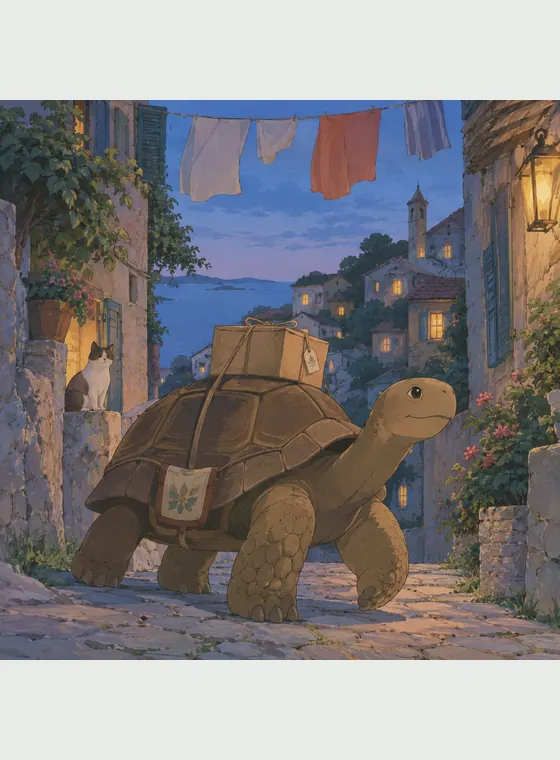
Turn a photo or an original prompt into a hand-painted anime scene with soft color, observed detail, and a grounded sense of place.

Turn a photo or a written idea into original 2D animation art with expressive acting, graceful shapes, and warm story-focused staging.

Create expressive 3D cartoon images from a photo or a written idea, then carry the same visual direction into reusable characters, animated videos, multi-scene animated stories, and illustrated storybooks.

Turn text or photos into cel-shaded art with crisp outlines and hard-edged shadows, then continue into characters, videos, and storybooks.
An AI watercolor generator suits portraits, pets, travel memories, invitation concepts, character studies, and scenes where gentle light matters as much as the subject. Compared with glossy 3D cartoon art, watercolor style favors transparent layers, paper texture, and softer boundaries. Compared with high-contrast comic art, it leaves more room for light, weather, and quiet everyday detail.
Transform a familiar photo or compose an original subject and setting from a written idea.
Layered washes, open highlights, and varied edges keep an image tactile rather than digitally smooth.
Save an approved reference and reuse it across variations, new scenes, short videos, and storybook pages.
Move from an approved lead to new scenes, short videos, and illustrated pages without restarting the visual direction.
Answers about photos, prompts, subject consistency, video, quality, and responsible use.
An AI watercolor generator creates original painted artwork from a photo or text prompt, using transparent-looking washes, soft edges, paper texture, and layered color. It interprets the full scene rather than adding a fixed color overlay.

Turn a photo you have permission to use into watercolor art, or begin with an original scene and continue with the character and setting you create.