


Cel-Shaded Style Images
Turn a photo or idea into a clean cel-shaded everyday scene.
Create a cel-shaded imageUse the same clear graphic treatment for a reusable character, an everyday scene, a short video, an animated story storyboard, and an illustrated storybook.
Turn a photo or idea into a clean cel-shaded everyday scene.
Create a cel-shaded imageAnimate one clear action with crisp outlines and flat color.
Create a cel-shaded videoPlan a multi-scene story and preview it as a storyboard before animating.
Create a cel-shaded animated storyBuild an illustrated neighborhood story around your saved cast.
Read the cel-shaded storybookCel-shaded art uses controlled contour lines, broad local colors, and a small number of hard-edged shadow bands. Instead of blending gradually from light to dark, each surface is divided into distinct graphic shapes, giving characters and environments a flat, animation-like finish while preserving readable depth.
The style works especially well for expressive character art, everyday moments, action scenes, game-inspired concepts, comics, avatars, and story illustrations. Strong silhouettes and limited shading keep poses, props, and facial expressions easy to read, even at smaller display sizes.
A cel shading AI generator reconstructs the subject in this visual language rather than placing a fixed effect over the source. It interprets faces, clothing, materials, lighting, and spatial depth as new outlines and color regions, so results can vary between generations.
Distinct light and shadow shapes give forms depth without soft tonal blending.
Controlled contours keep people, pets, objects, and gestures readable at a glance.
Broad local colors preserve spatial structure while keeping the finish clean and illustrative.

Start with a written scene or reference photo, then choose the format that fits your project: a still image, reusable character, short video, or illustrated book.
Start from a familiar photo or describe a new scene, then let the selected preset rebuild it with graphic light and shadow.
Choose a JPG, PNG, or WebP reference, or describe one subject, visible action, practical props, and a setting.
Keep Cel Shaded selected, choose an aspect ratio, and decide how many results to compare.
The model rebuilds the scene with clean contours, broad color shapes, and hard-edged light and shadow.
Download the image, save a reusable character, animate a short action, or develop an illustrated storybook.
Choose the Cel Shaded preset first. Use the prompt to control the subject, action, props, environment, and composition instead of repeating style or quality terms.
A role, outfit, and signature object give the scene a clear focal point.
A courier
A solar-bike courier with an amber visor, cobalt jacket, parcel canisters, and reinforced boots
One decisive action reads more clearly than several competing events.
People at home
A grandfather and granddaughter folding paper birds together beside a rainy kitchen window
A few specific surroundings make an ordinary moment feel inhabited.
Friends eating
Two friends sharing takeaway noodles on an apartment balcony beside hanging laundry and potted herbs
A clear focal subject and short prop list usually produce a more coherent result.
A busy city with many things happening
A rooftop gardener covering seedling trays as rain moves across the evening skyline
Start with a saved character, then place that identity in an independent scene, a focused short video, and a complete illustrated book.
Keep the approved identity available for later work.
Give the character a new action and inhabited setting.
Select the saved character for a short focused shot.
Break the idea into connected scenes and review the whole story as a storyboard before any animation is rendered.
Assign the saved lead while planning the illustrated book.
Compare five related looks, then open the style page that best fits your next image.

Turn a written idea or a permitted photo into original comic artwork shaped by decisive poses, strong silhouettes, bold ink, and high-stakes visual storytelling.
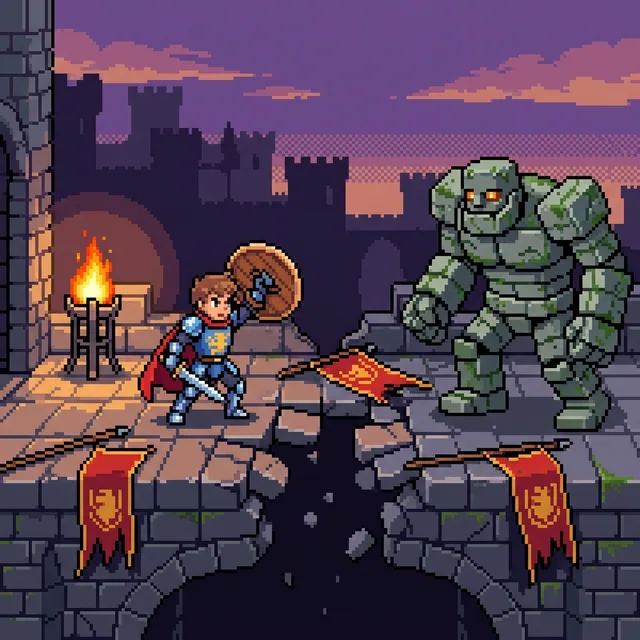
Turn a written idea or favorite photo into crisp pixel art with visible square pixels, hard-edged color clusters, and a focused limited palette. Create portraits, pets, scenes, and original characters, then continue into video or an illustrated story.
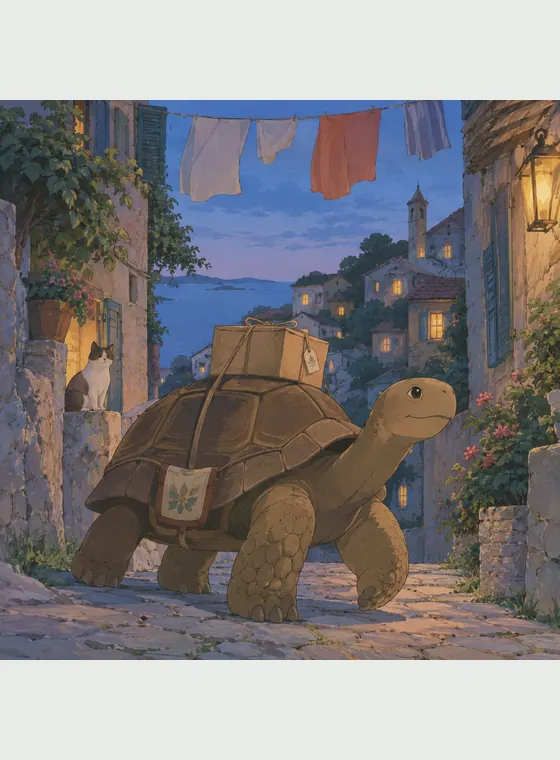
Turn a photo or an original prompt into a hand-painted anime scene with soft color, observed detail, and a grounded sense of place.

Turn a photo or a written idea into original 2D animation art with expressive acting, graceful shapes, and warm story-focused staging.

Upload a photo to rebuild a portrait, pet, building, or landscape as Minecraft-style voxel art, or start with a text prompt to create a new block-world scene. The generator reconstructs the subject, setting, and lighting with cubic forms instead of placing a pixel filter over the original.
Cel shading gives portraits, pets, daily moments, action scenes, and original ideas a clean visual structure. It combines graphic clarity with enough depth to support character concepts, social images, story scenes, and animation references.
Invent a scene from a prompt or reconstruct the subject and composition of a reference photo.
Hard-edged shadows and restrained highlights separate the result from smooth 3D rendering and painterly cartoon art.
Save an approved identity and continue it through variations, images, video, and storybooks.
Start with available free credits and download generated JPG, PNG, or WebP images without a visible platform watermark.
It is an AI image tool that turns text or a reference photo into artwork with controlled outlines, flat local colors, and hard-edged shadow bands.

Transform a photo or written idea, then save the strongest character when you want to continue into motion or a larger illustrated story.