
LEGO AI Generator
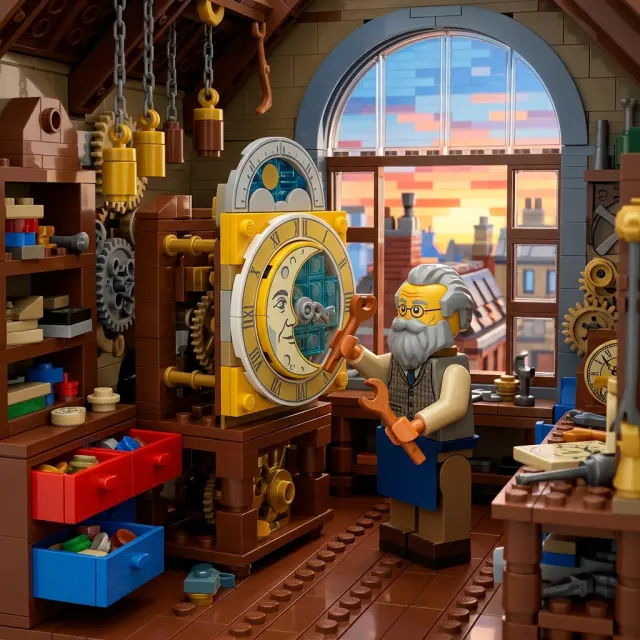


Create More with the LEGO AI Generator
Make original LEGO-style characters, images, animated moments, animated story storyboards, and illustrated stories with one selected visual direction.
Mara Quill
An original adult female harbor signal engineer named Mara Quill, with a square friendly face, short dark auburn hair, warm brown complexion, a teal utility jacket over a coral-orange work harness, navy gloves, sturdy dark boots, and a translucent amber signal-lens case held at her side
LEGO Style Animated Stories
Plan a multi-scene story and preview it as a storyboard before animating.
Create a LEGO-style animated storyNarrated LEGO Style Storybooks
Build an illustrated adventure around your cast.
Create a LEGO-style storybookWhat Is LEGO Style?
A LEGO AI generator uses readable brick geometry, modular forms, bright material contrast, and playful miniature staging. A strong result rebuilds the subject and setting as one cohesive construction-brick scene rather than adding a flat filter.
People enjoy this look because simple silhouettes make a character, pet, tool, or place immediately legible while small details reward a closer look. It works especially well for portraits, pets, inventions, travel scenes, and short visual stories.
The generator interprets a prompt or reference image through these visual characteristics to create an original result. LEGO is a trademark of the LEGO Group, which does not sponsor, authorize, or endorse this site.
Modular forms
Simple brick geometry keeps subjects readable at a glance.
Tactile details
Studs, hinges, windows, and small props add a constructed feel.
Playful staging
Clear actions make even dense scenes easy to follow.

Start an Original LEGO-Style Scene
Begin with a photo or prompt, then keep creating in the formats supported by the selected style.
- Free credits to start
- No visible watermark
- Photo and text input
- Images, video, characters, and books
How to Use the LEGO AI Generator
Use a photo for a recognizable starting point or text for a completely new scene.
Upload or describe
Choose a photo or write a concrete subject, action, and setting.
Select LEGO style
Choose an aspect ratio and the generation settings you need.
Generate the scene
The AI reconstructs the scene with modular construction-brick forms.
Continue creating
Download the image or continue to character, video, or storybook workflows.
Prompt Tips for LEGO-Style Images
Select the style first, then make the subject, action, props, and setting specific.
Name the subject
Give the lead a role and recognizable gear.
An engineer
A harbor signal engineer carrying an amber lens case and a coil of rope
Choose one action
A readable action anchors the composition.
A cook outdoors
A camp cook flipping flatbread beside a mountain lake
Add useful props
Concrete objects make the setting believable.
A workshop
A rooftop workshop with open drawers, hanging weights, and a brass moon dial
Carry One Character Across Every Format
Save a character first, then place that identity in scenes, motion, and story pages.
1. Save the character
Generate and save a clear original character.
Create a character2. Place the lead in a scene
Use the saved reference in a new setting.
Create a scene3. Animate one action
Choose a stable action for a short shot.
Create a video4. Storyboard an animated story
Break the idea into connected scenes and review the whole story as a storyboard before any animation is rendered.
Plan an animated story5. Build the storybook
Expand the cast into an illustrated adventure.
Create a storybookExplore More Cartoon Styles
Compare five related looks, then open the style page that best fits your next image.

Minecraft style
Upload a photo to rebuild a portrait, pet, building, or landscape as Minecraft-style voxel art, or start with a text prompt to create a new block-world scene. The generator reconstructs the subject, setting, and lighting with cubic forms instead of placing a pixel filter over the original.

Pixar Style
Create expressive 3D cartoon images from a photo or a written idea, then carry the same visual direction into reusable characters, animated videos, multi-scene animated stories, and illustrated storybooks.

Disney Style
Turn a photo or a written idea into original 2D animation art with expressive acting, graceful shapes, and warm story-focused staging.
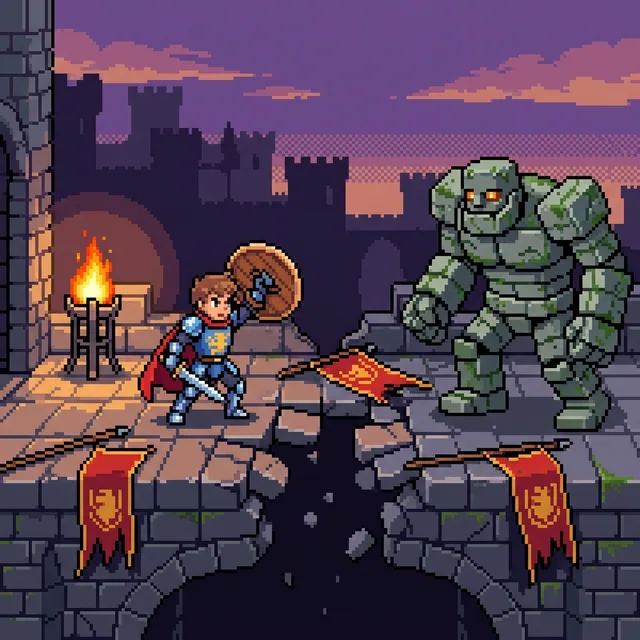
Pixel art
Turn a written idea or favorite photo into crisp pixel art with visible square pixels, hard-edged color clusters, and a focused limited palette. Create portraits, pets, scenes, and original characters, then continue into video or an illustrated story.

Cel-shaded art
Turn text or photos into cel-shaded art with crisp outlines and hard-edged shadows, then continue into characters, videos, and storybooks.
Why Use This LEGO AI Generator?
Start without committing to a paid plan, download clean results, and choose the workflow that fits your idea. The selected style reconstructs photos or prompts with modular pieces and tactile depth rather than applying a flat filter.
Free credits to start
Sign in with Google and use your starter credits to try a first generation.
No visible platform watermark
Download generated images without an AI Cartoon Generator watermark over the artwork.
Photo or text input
Transform a recognizable reference or build an original scene from a written idea.
More than a single image
Continue into reusable characters, short video, and illustrated storybooks.
LEGO AI Generator FAQ
It is a generator that turns a text prompt or reference photo into an original construction-brick interpretation using the selected style.

Create Your LEGO-Style Scene
Start with a photo or prompt and make an original LEGO-style scene.