

Nano Banana 2.1 is Google's image generation and editing model, released as the recommended successor to Nano Banana 2 while that earlier version is being retired on the provider side in late October 2026. For cartoon and anime work, its two standout strengths are keeping a recurring character recognizable across separate generations and blending up to ten reference images into one frame. On AI Cartoon Generator it is available on every subscription plan, preselected in the Nano Banana 2.1 generator with the site's cartoon and anime styles composed onto your prompt automatically.
This guide covers what the model is, what it does well for illustrated work, where it still struggles, and a practical workflow for producing cartoon images with it. Every example image in this article was generated by Nano Banana 2.1 through the same integration described below.
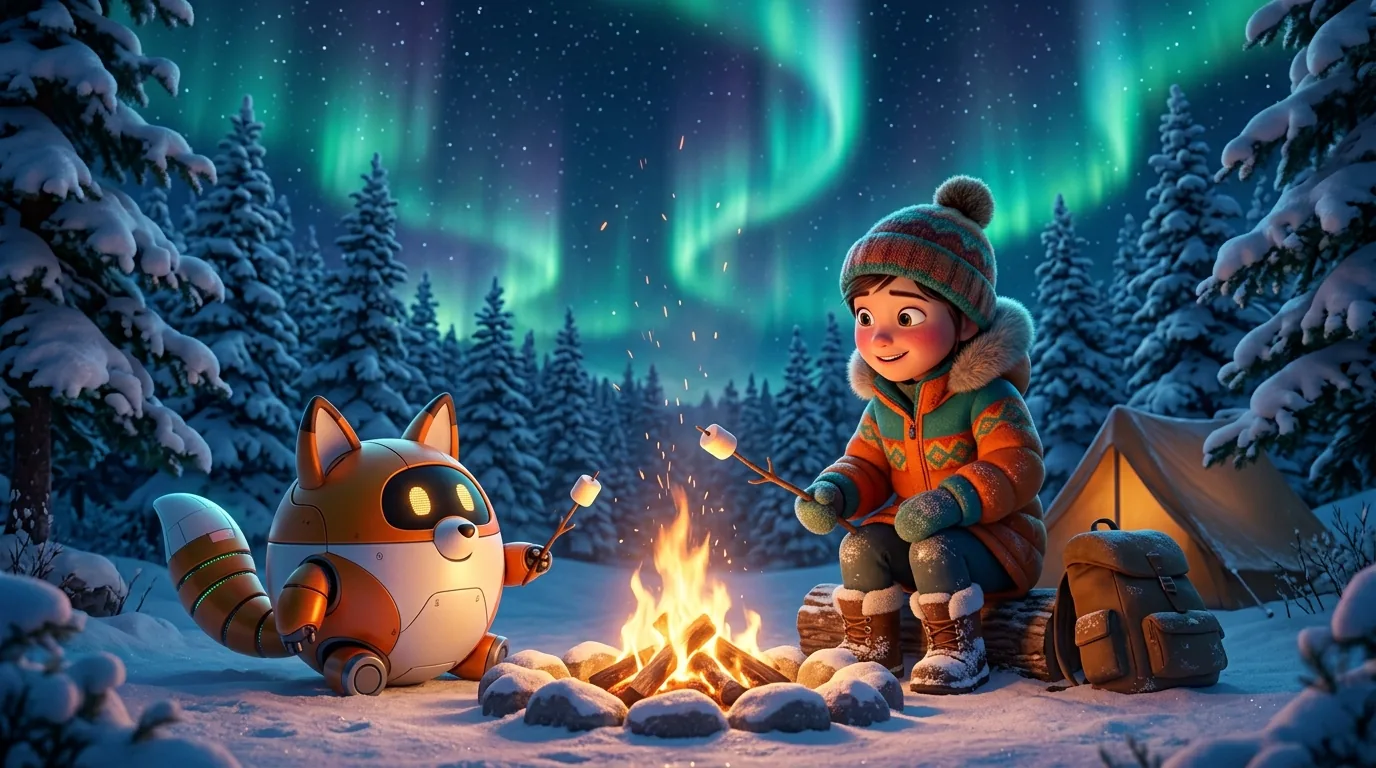
What is Nano Banana 2.1?
Nano Banana 2.1 sits in Google's Nano Banana family of image models. It is the efficiency tier of the family: close to Nano Banana Pro on visual quality and reference-driven editing, at a lower cost per image. Like its predecessors, it handles both text-to-image generation and image-to-image editing through the same model, which matters for cartoon work because most real projects bounce between "draw something new" and "change something I already have."
Two family facts are worth knowing before you start:
- It replaces Nano Banana 2. The provider retires Nano Banana 2 in late October 2026, and 2.1 is the recommended migration target. If you have prompts or reference workflows built around Nano Banana 2, they carry over without changes.
- It is an image model, not a video model. It produces still images at 1K, 2K, and 4K resolution across a wide range of aspect ratios. For animation you pair it with a video model in a separate step.
On this site, the model is wired into the image generators and preselected on its model page. You describe a subject and scene, pick a cartoon or anime style, and the generator composes the full prompt for you, so you never write style keywords by hand.
What it does well for cartoon work
Recurring characters stay recognizable
The capability that matters most for serialized cartoon creation is character consistency: draw a character once, then reference that image in later generations and get the same face, outfit, and proportions back. Nano Banana 2.1 handles this well even when the character moves to a completely different scene and lighting setup.
The practical payoff is a reusable cast. Instead of re-rolling a prompt and hoping the result still looks like "your" fox inventor, you attach the reference and the model treats it as the source of truth. This is also how the character generator on this site builds variations of a saved character.
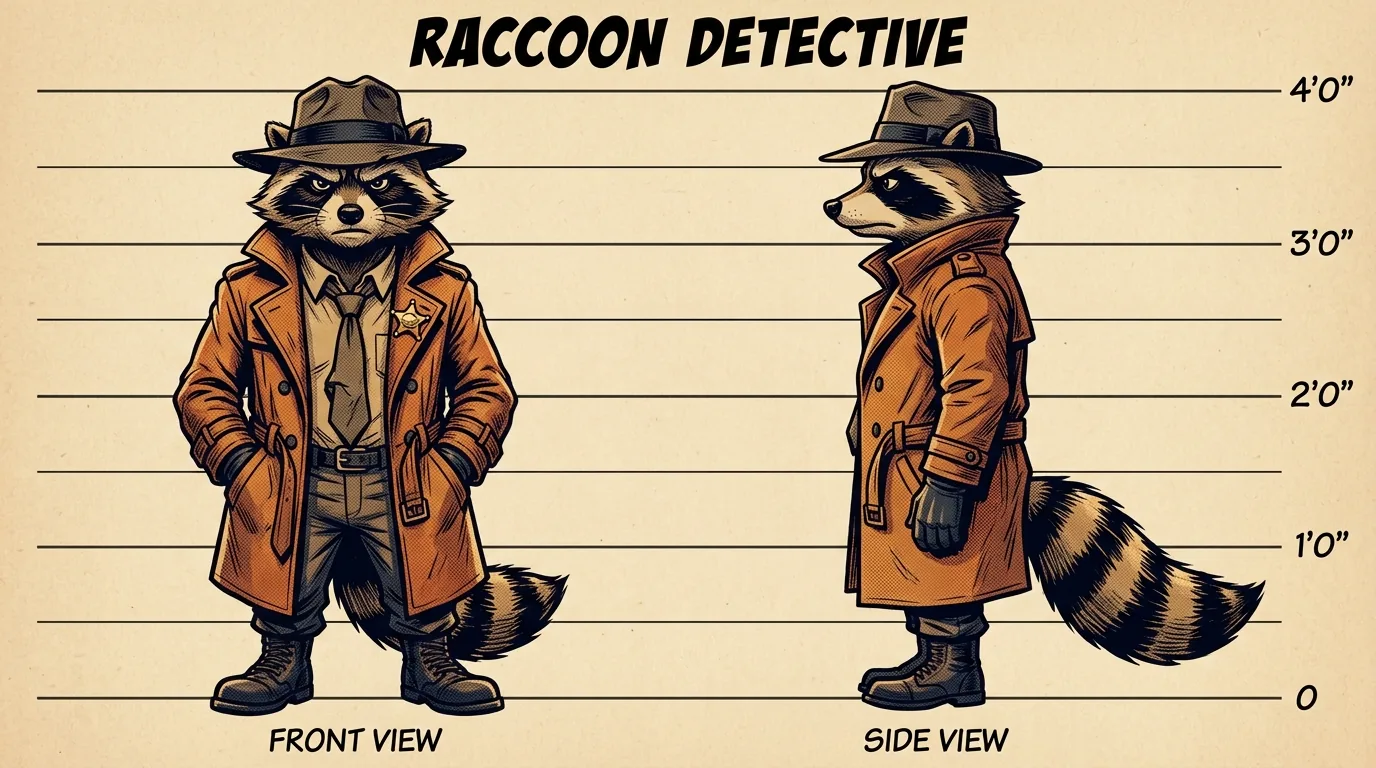
Design sheets like the one above are a good first deliverable for any new character: one generation gives you a front and side reference you can reuse everywhere else.
Editing that follows instructions
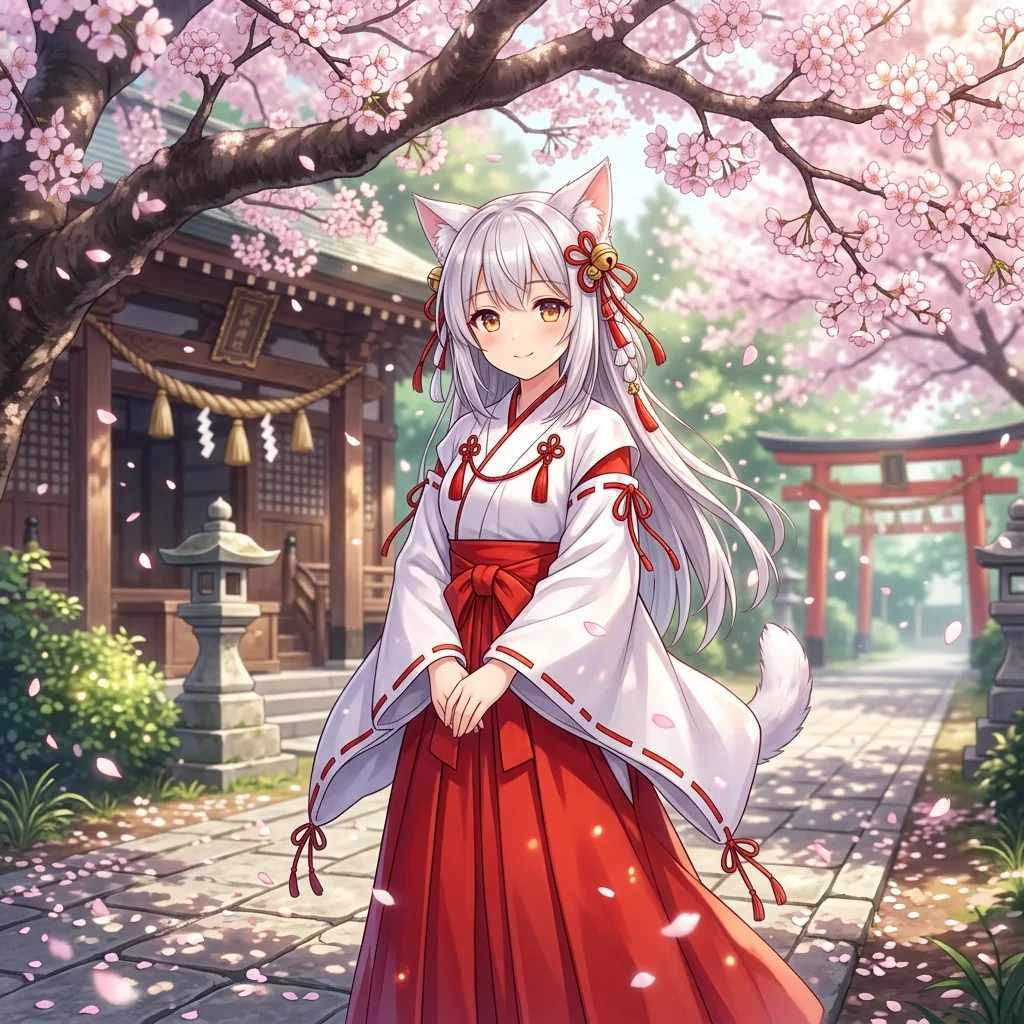
The image-to-image side accepts plain-language edit instructions, and the model is good at scoped changes: swap an outfit, change the season, replace one object, keep everything else. To test this on a familiar example, we started from a cherry blossom scene:
Then we asked for winter: snow-covered branches instead of blossoms, and a deep blue winter kimono, with the character, her face, and her pose kept identical:
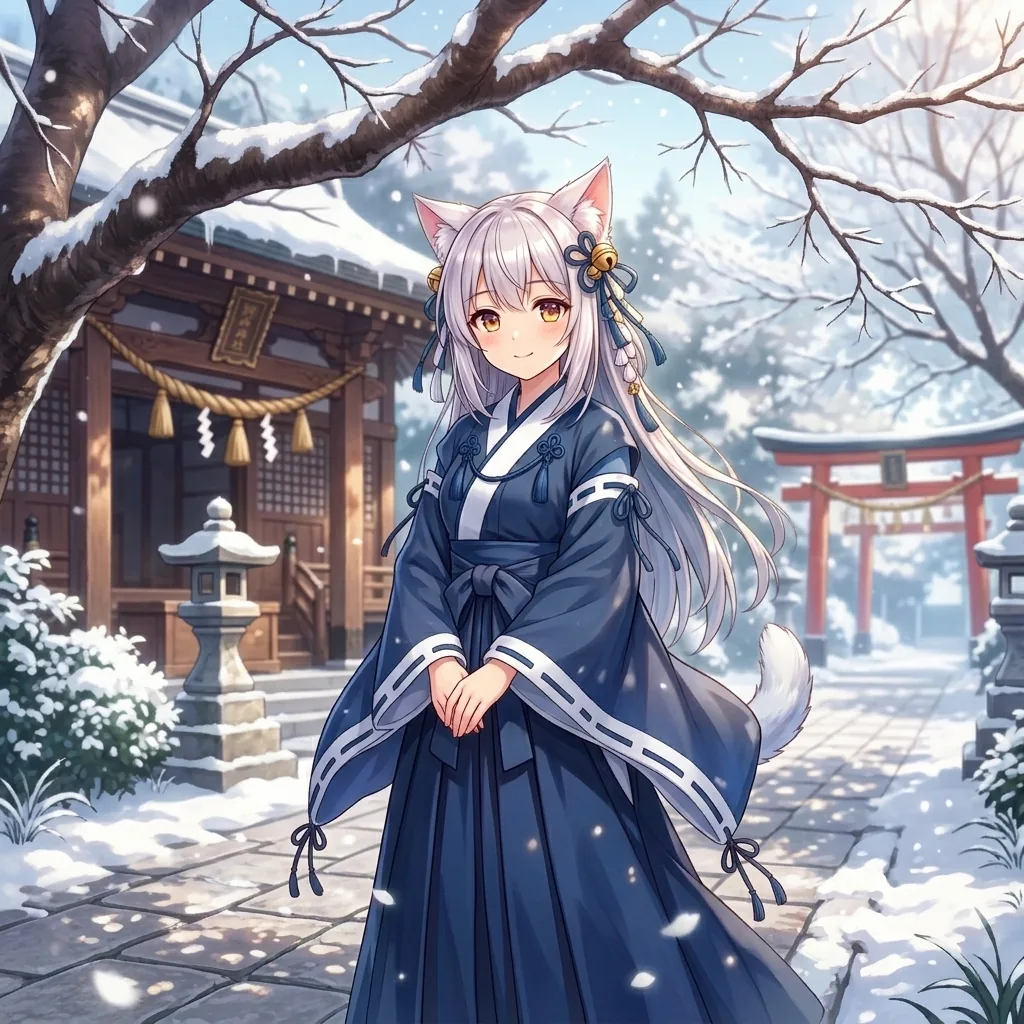
The character came through unchanged while both the environment and the wardrobe followed the instruction. This kind of seasonal or costume variant is one of the most common requests in illustration work, and it is where reference editing beats regenerating from scratch.
Up to ten references in one frame
Nano Banana 2.1 accepts up to ten reference images in a single edit. For cartoon projects that usually means one of two things: staging multiple characters from separate reference images into one scene, or combining a character reference with environment and prop references so the composition has everything it needs. Group portraits, crossovers, and "cast on the cover" images stop being manual compositing work.
In-image text that reads correctly
Cartoon storefronts, posters, comic covers, and signage all depend on the model rendering short text accurately. Nano Banana 2.1 is noticeably more reliable here than the generation before it: headlines and labels usually come out spelled correctly and legible. Very small or long passages of text are still the weak spot, so keep in-image wording short.
Where it struggles
No model is complete without the honest part:
- Pose changes are harder than appearance changes. Keeping a character identical while changing only the environment or outfit works consistently; asking for a dramatically different pose or camera angle gives the model more freedom to drift from the reference.
- Small text still slips. Headlines and signs are solid; dense paragraphs, tiny captions, or unusual fonts can still come out warped. Crop or overlay critical text in post when precision matters.
- Style adherence is prompt-driven. The model follows style direction well, but the cartoon and anime look you see on this site comes from the site's curated style templates. Raw API users need to build that layer themselves.
- 4K costs more. Output scales from 1K to 4K, and higher resolutions cost more credits per image. Draft at 1K, then re-run the keeper at 2K or 4K.
A working workflow for cartoon images
Here is the loop we use on this site, and the one the model page is built around:
- Open the Nano Banana 2.1 generator. The model is preselected; sign in with any subscription plan to generate.
- Describe the subject and scene only. "A fox inventor at a cluttered attic workbench, warm lamplight." No style keywords needed - pick a style like Pixar 3D, anime, or comic from the style picker and it is composed into the prompt automatically.
- Draft at 1K. Iterate on composition and character details while each image is cheap.
- Lock the character. When a result looks right, reuse it as a reference image for every later scene featuring that character. This is what keeps a cast consistent across a series.
- Edit with references instead of re-rolling. Need a winter version, a costume change, or the same two characters in one frame? Attach references and describe the change rather than gambling on a fresh prompt.
- Upscale the keepers. Re-run final images at 2K or 4K with the same prompt and references.
The same references also feed the wider toolkit: character references work in the image generator, saved characters carry into projects, and finished stills can seed video generation when you need motion.
FAQ
Is Nano Banana 2.1 free to use?
On this site it is included with every subscription plan and is not available for pay-as-you-go credits. Subscribers generate with it directly in the cartoon generators at 1, 2, or 3 credits per image depending on resolution.
What is the difference between Nano Banana 2.1 and Nano Banana 2?
Nano Banana 2.1 is the successor released as Nano Banana 2 is retired on the provider side in late October 2026. It keeps the same prompt structure and reference workflow while improving character consistency, multi-reference blending, and text rendering. Existing Nano Banana 2 prompts and references work unchanged.
Nano Banana 2.1 or Nano Banana Pro?
Pro remains the heavier tier of the family with the highest fidelity ceiling. 2.1 is the efficiency option: close on quality, noticeably cheaper per image, which is why it fits high-volume cartoon iteration. If you are deciding for serialized work where you generate dozens of variations, 2.1 stretches credits much further.
Can it generate video or animation?
No. Nano Banana 2.1 produces still images only. On this site, video generation uses dedicated video models, and a common pattern is designing characters and key frames with 2.1 first, then animating them in a separate step.
Can I use the images commercially?
Images you generate on the site follow the platform's standard terms of service, so review those terms for your use case. You are responsible for how your prompts and reference materials relate to third-party rights; in particular, avoid prompting for existing copyrighted characters when the output is intended for commercial use.
Conclusion
Nano Banana 2.1 is a quietly significant upgrade for cartoon and anime workflows: character consistency and reference-driven editing are the two capabilities serialized illustration actually depends on, and both improved. Draft cheap at 1K, lock characters as references, edit instead of re-rolling, and upscale only the keepers. If you have a subscription, the model is ready to try right here with cartoon styles composed automatically.