

You can turn a photo into a cartoon online without Photoshop or drawing skills. The important catch is that “free” means something different on each site: it may mean starter credits, a daily allowance, a basic filter, or a download with limits. This comparison looks at five options through the questions that matter before you upload a photo: free access, sign-in, style choice, watermark status, and the kind of result each workflow is designed to make.
For a reference-aware result and a current library of image-to-image styles, start with AI Cartoon Generator's photo-to-cartoon tool.
Disclosure: AI Cartoon Generator is our product. It is included here because it is relevant to the comparison. Its requirements and limits are stated alongside those of the other tools.
The Short Answer: Which Tool Should You Choose?
- Best for a reference-aware style workflow: AI Cartoon Generator
- Best for placing the result into a design: Canva
- Best for browsing a large advertised style library: Fotor
- Best for clearly published no-watermark terms: AI Cartoon Generator or Canva
- Best for a simple no-login starting point: Bizitoon, subject to checking its current export conditions
If keeping a person, pet, hairstyle, glasses, or pose recognizable matters, use a reference-aware image-to-image generator. If you only need a quick visual effect while preserving the source pixels more closely, a filter-style editor may be enough.
What “Free” Should Mean in a Photo-to-Cartoon Tool
A useful free option lets you complete at least one conversion without paying and makes the limits visible before you spend time choosing a style. Check these details before uploading:
- Usable free output: Can you complete a conversion, not merely preview an effect?
- Clear limits: Is the free offer starter credits, daily credits, or an unlimited filter?
- Watermark status: Does the downloaded result include a visible platform mark?
- Useful resolution: Is the export large enough for an avatar, social post, or small print?
- Account wall: Is sign-in required before you can generate or download?
For personal photos, also check whether the service retains uploads, sends them to an AI provider, and permits your intended commercial use.
How This Guide Was Researched
This is a decision guide based on publicly stated access rules, account requirements, style options, export terms, and workflow. It is not a side-by-side image-quality test. The product claims below were checked against the linked product pages on August 13, 2026; before generating, confirm the current limit shown in the tool itself.
The example images in this article were generated only with AI Cartoon Generator. They show how one source can change across styles, not how the five products compare in output quality.
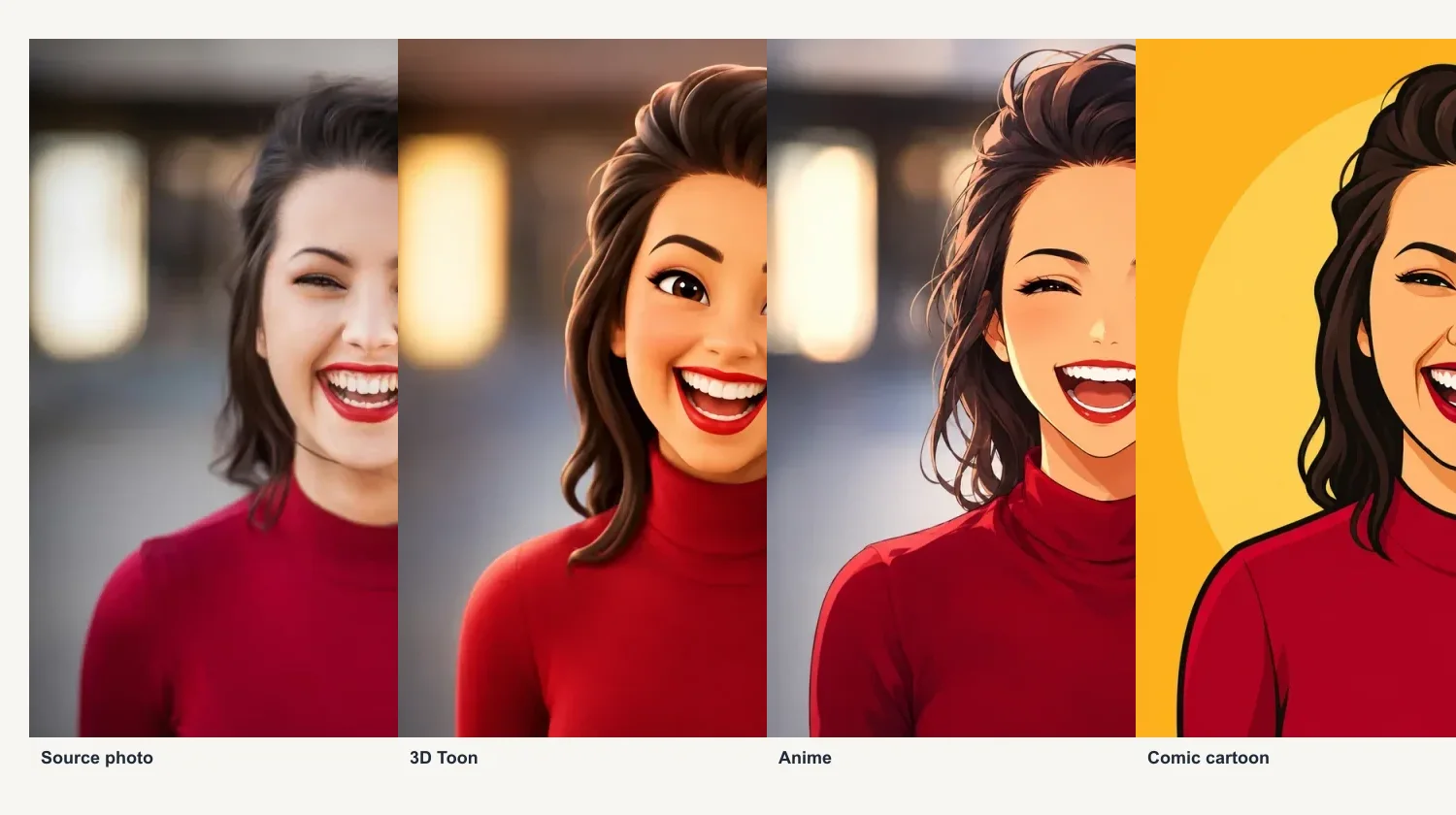
One source photo, three distinct cartoon directions generated in AI Cartoon Generator.
Top 5 Tools to Turn a Photo into a Cartoon Online Free
| Tool | Free access | Account | Style choice | Watermark / export status | Best for |
|---|---|---|---|---|---|
| AI Cartoon Generator | Free starter credits | Google sign-in required | 20+ current image-to-image styles | No visible platform watermark; 1K output | Reference-aware cartoon creation |
| Canva Cartoonify | 3 Cartoonify credits refreshed daily (advertised) | Required | Cartoonify plus related Canva apps | Watermark-free output advertised | Turning a cartoon into a design |
| Fotor | Daily-credit access (advertised) | Usually required for AI generation or download | 54+ cartoon styles advertised | High-resolution, watermark-free export advertised | Exploring named styles |
| Cartoonizer.ai | Free credits available | Google sign-in required | Multiple styles available | Free export terms are not clearly documented; verify live | Trying another style-based workflow |
| Bizitoon | Free or unlimited use advertised | No sign-up advertised | Basic effects; exact count unclear | Its FAQ uses conditional watermark language; verify live | Minimal setup |
Why some cells say “advertised” or “verify”: product pages do not always publish an exact free limit, style count, or export specification. Treat those cells as points to confirm in the live product rather than independently tested guarantees.
1. AI Cartoon Generator: Best for a Reference-Aware Workflow
AI Cartoon Generator is designed for image-to-image generation rather than a fixed overlay. Upload a portrait, pet, product, couple, or travel photo, choose a style, and the model redraws the result while following recognizable subject, pose, and composition cues.
What stands out
- 20+ current image-to-image styles, including 3D, anime, comic, sketch, watercolor, and cartoon directions
- 1K output with selectable aspect ratios
- Free starter credits after Google sign-in
- No visible platform watermark on generated results
- An optional instruction field when a specific detail needs attention
What to know before using it
- Google sign-in is required to claim and use free credits.
- Each generation uses credits based on its settings and quantity; the interface shows the cost before generation.
- Most image generations take around 30–60 seconds, depending on style and service demand.
- No AI transformation can guarantee an exact likeness.
- Uploaded photos may be processed by AI and storage providers; review the Privacy Policy before uploading sensitive images.
This is the strongest fit when a visibly redrawn result and style selection matter more than an account-free one-click filter.
2. Canva Cartoonify: Best for Designers
Canva's photo-to-cartoon experience makes the most sense when the image is only one part of a larger design. Canva states that Cartoonify offers three free credits refreshed daily, and it connects the result directly to its editor and export workflow.
The trade-off is that you need a Canva account and enter a broader design environment even if you only need one cartoon image. Start here for social posts, presentations, cards, posters, or a team already using Canva. Confirm the current credit and export terms in Canva's Cartoonify page before relying on the daily allowance.
3. Fotor: Best for Exploring Many Styles
Fotor advertises more than 54 cartoon styles, including anime, 3D, caricature, clay, line, toy, and related directions. It is useful when the priority is browsing a large named-style library and continuing with conventional photo editing afterward.
Its free access depends on daily credits, and the product has several overlapping AI filter and cartoon experiences. Treat its high-resolution and watermark-free claims as product-page statements, then check the live generation and download screen before committing to a workflow. See Fotor's photo-to-cartoon page for its current offer.
4. Cartoonizer.ai: Verify the Free Export Terms
Cartoonizer.ai offers a sign-in-based workflow with free credits and multiple style choices. However, its public pages do not clearly document the current free export resolution or watermark rules.
Check the live generation and download screens before uploading a personal photo, especially when a clean export is essential. This guide does not rank its image quality because comparable results from all five tools are not available here.
5. Bizitoon: Best for a Basic No-Login Starting Point
Bizitoon advertises a simple upload-to-download workflow, no sign-up, and free or unlimited conversion. That can be useful when creating an account is the main obstacle.
The limitation is documentation clarity. Its published information does not provide a stable exact style count or output dimension, and its FAQ uses conditional language about watermarks. Treat it as a basic option, verify the export before investing time, and do not assume that “unlimited” also means an unrestricted clean download. Its homepage is the source for the current claims.
Same Photo, Different Cartoon Results
Style names alone do not tell you whether a result is usable. The examples below come from AI Cartoon Generator rather than a cross-tool test. When testing any product, start with one clear, well-lit square portrait and compare these visible details:
- face shape and expression
- glasses and hairstyle
- clothing colors
- pose and framing
- background retention
- extra fingers, text-like marks, distorted accessories, or other artifacts
Use a 3D style for dimensional lighting and a polished avatar, anime when expressive facial rendering matters more than exact texture, comic for strong outlines and graphic contrast, and sketch when line structure matters more than color. A simple filter can be better when preserving the original image layout is more important than creating new artwork.
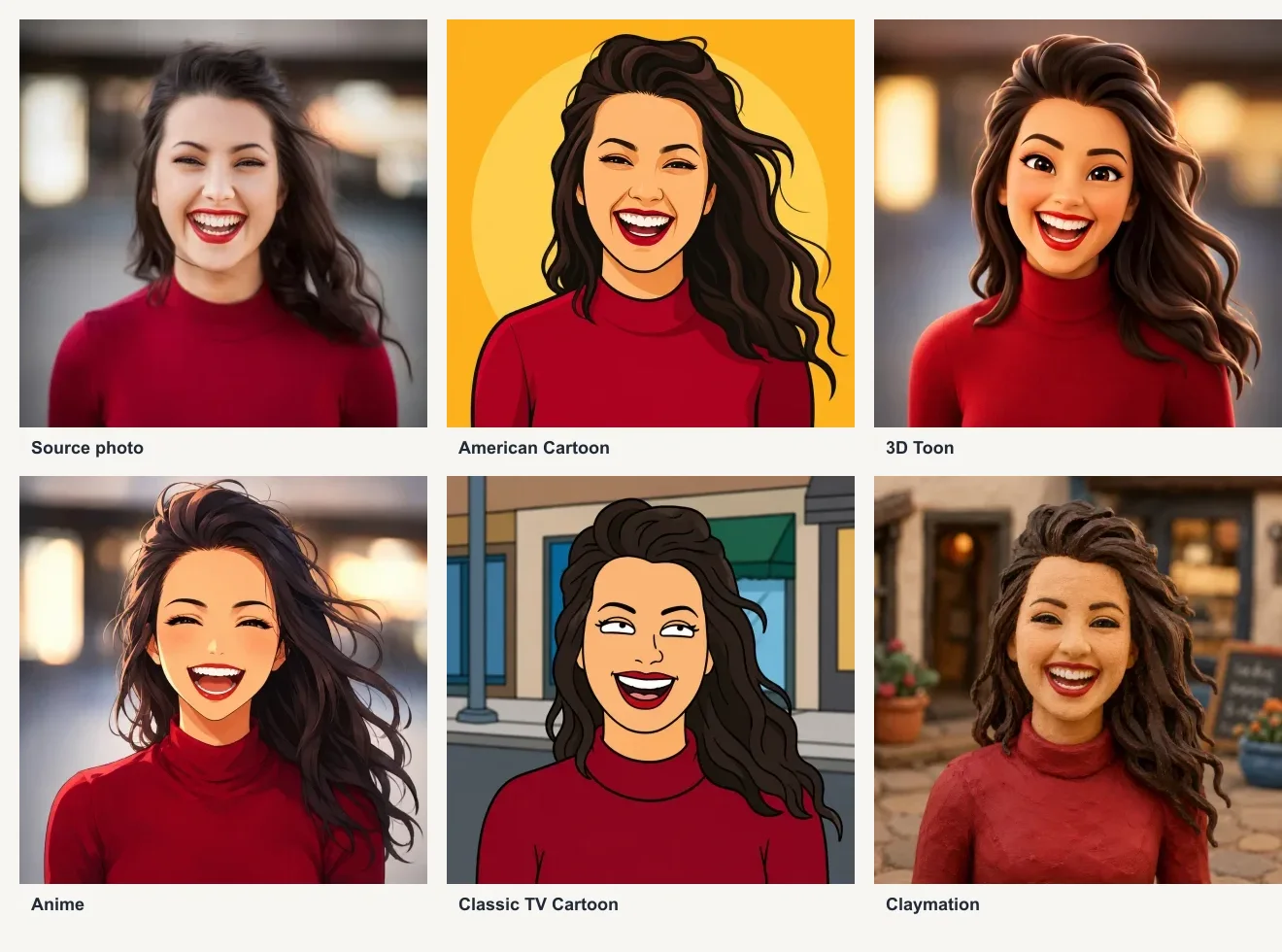
Each style uses the same square source photo and a real image-to-image result from AI Cartoon Generator.
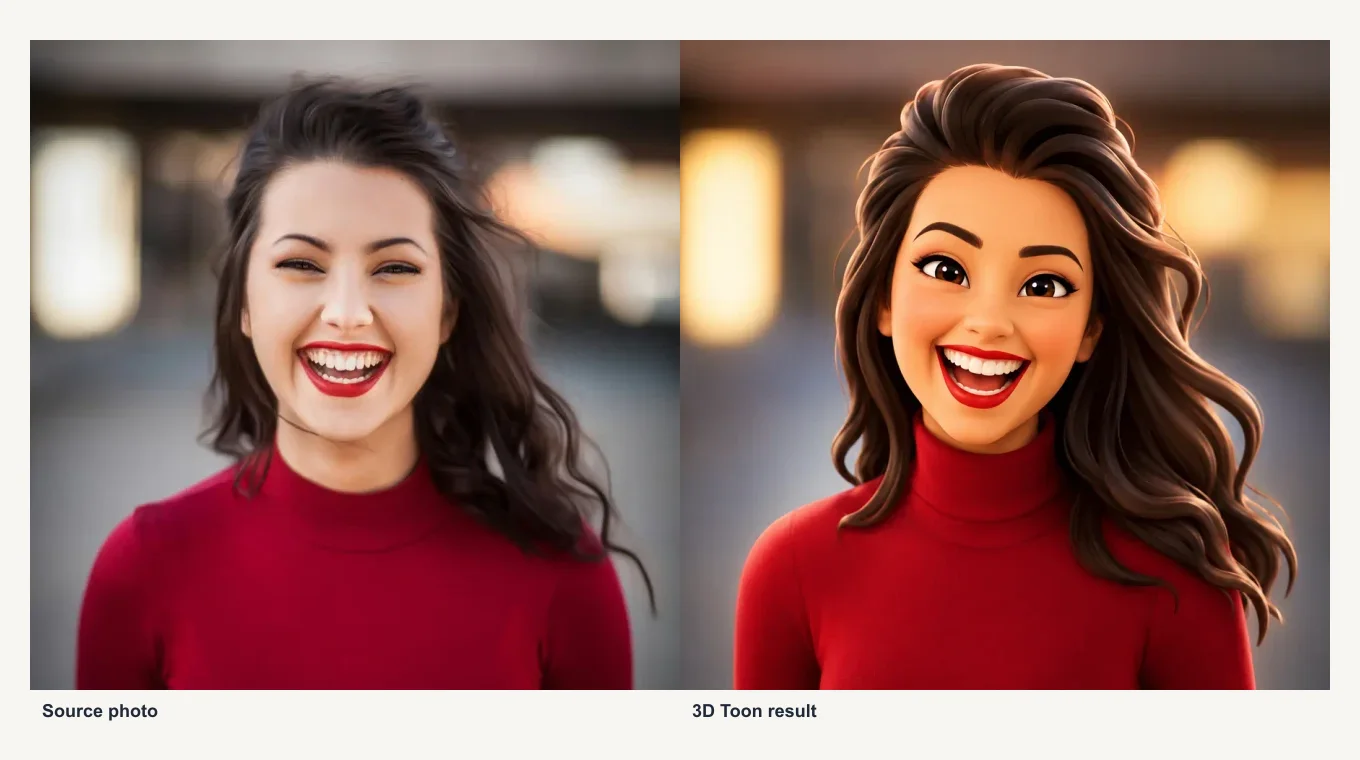
Check recognizable details such as hair, smile, clothing color, and background shape before using a result.
Want to check one source across several styles? Try photo to cartoon free.
Turn Your Photo into a Cartoon Online
Upload one clear photo, choose a cartoon style, and click Generate. No subject prompt is required; add a short note only when a detail needs to stay or change. On AI Cartoon Generator, most results take about 30–60 seconds, depending on the selected style and service demand.
Use a front-facing or three-quarter photo with even light for the most recognizable result. Before publishing, inspect the result at full size for altered accessories, text-like artifacts, and changes to facial details.
Which Tool Is Best for Your Photo?
| Your priority | Recommended starting point | Why |
|---|---|---|
| Maximum reference-aware style choice | AI Cartoon Generator | 20+ current image-to-image styles and selectable ratios |
| Design after conversion | Canva | Integrated editor and templates |
| Browse many named effects | Fotor | 54+ advertised cartoon styles |
| Avoid account creation | Bizitoon | No-sign-up workflow advertised |
| Prefer clearly published no-watermark terms | AI Cartoon Generator or Canva | Both publish no-visible-watermark claims |
| Preserve a recognizable person or pet | A reference-aware generator | Rebuilds the image while following source cues |
| Preserve the original pixels and layout | A filter-style editor | Applies a more restrained effect |
Before You Upload a Personal Photo
- Use a photo you own or have permission to process.
- Avoid confidential documents or highly sensitive images.
- Read the service's current privacy policy, including whether it retains uploads or sends them to another AI provider.
- Obtain appropriate consent before uploading identifiable images of children or other people.
- Review the finished result for visual mistakes before publishing.
- A watermark-free download does not automatically grant commercial rights. Source-photo rights, generated-content terms, third-party rights, and applicable law still apply.
For AI Cartoon Generator, reference images and generation settings may be processed by third-party AI and storage providers. The current Privacy Policy explains the handling and retention terms.
FAQ
Is it really free to turn a photo into a cartoon online?
Yes, but the free offer varies. A tool may provide starter credits, a small daily allowance, a free filter, or only a restricted export. Check whether generation, a clean download, and useful resolution are all included.
Do I need to create an account?
It depends on the product. AI Cartoon Generator requires Google sign-in for free starter credits, and Canva requires an account. Bizitoon currently advertises a no-sign-up workflow. Confirm each product's current account requirement because it can change.
Will the downloaded cartoon have a watermark?
AI Cartoon Generator states that generated results have no visible platform watermark, and Canva advertises watermark-free output. Some products do not clearly document their free export rules, so check the download screen before generating because plan terms can change.
What is the best free tool to turn a photo into a cartoon?
Start with AI Cartoon Generator when you want a reference-aware, visibly redrawn image and multiple style choices. Start with Canva when the cartoon must become part of a design. Use Bizitoon when avoiding account creation is the priority, after checking the current export conditions.
Will the cartoon still look like me?
A sharp, well-lit portrait generally preserves more recognizable details, but no AI converter guarantees an exact likeness. Compare hairstyle, glasses, expression, face shape, and clothing before downloading.
Final Recommendation
The best free option depends on whether you value style range, design tools, a no-login workflow, or a clean export. For multiple reference-aware cartoon styles from one photo, turn your photo into a cartoon with AI Cartoon Generator. For every alternative, confirm the current free limit and download conditions before you upload a personal image.