
Turning a photo into a cartoon no longer requires Photoshop, layers, or drawing skills. With a clear photo, an AI tool, and a few minutes, you can create a new cartoon-style image. Start with our free AI cartoon generator.
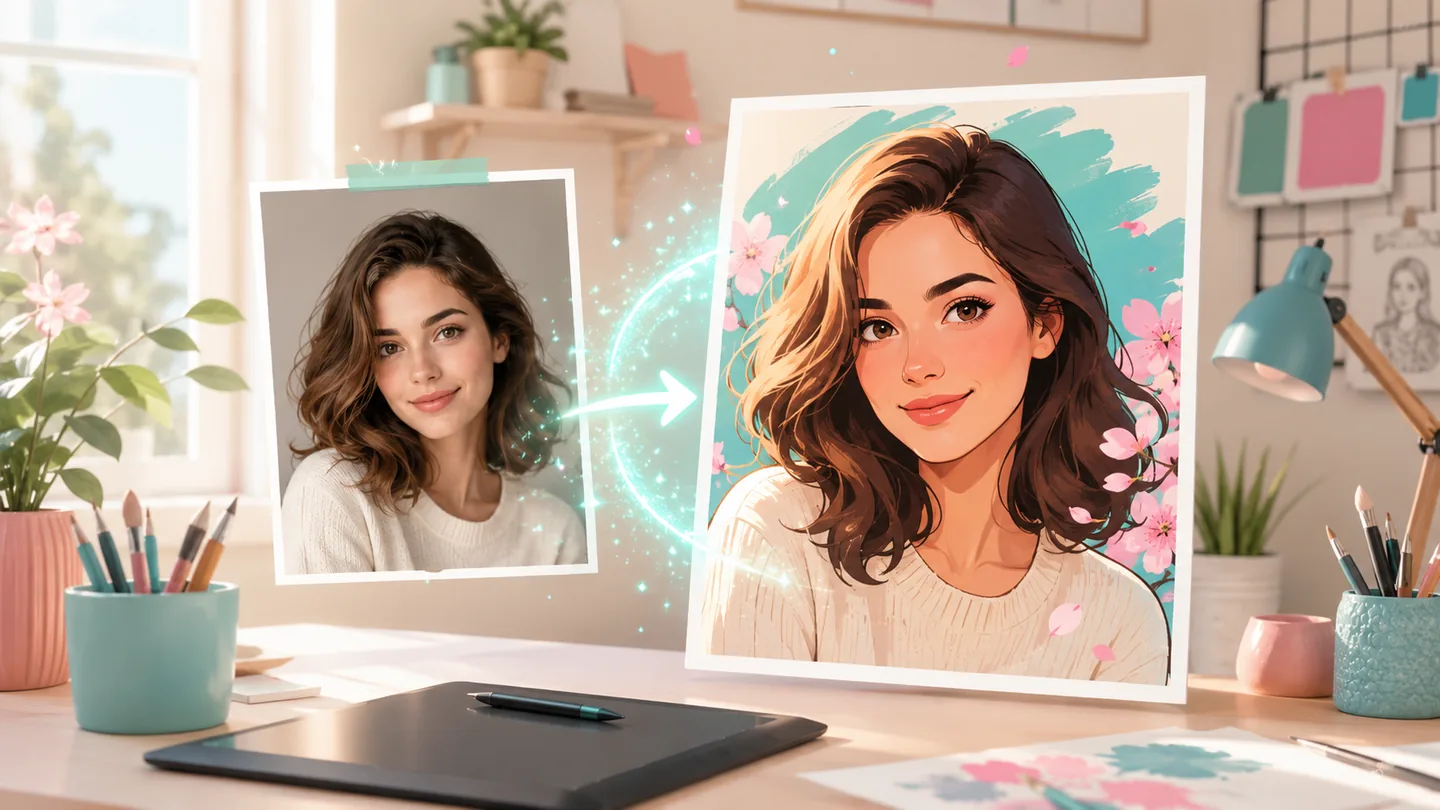
What You Need to Make a Cartoon from a Photo
You only need:
- one clear photo of a person, pet, product, or single subject;
- an AI photo-to-cartoon tool;
- about three minutes to upload, choose a style, and review the result.
You do not need to know how to draw. The AI reads the subject, face, pose, colors, and composition, then redraws the image in the direction you choose.
Step-by-Step Guide to Turn Your Photo into a Cartoon
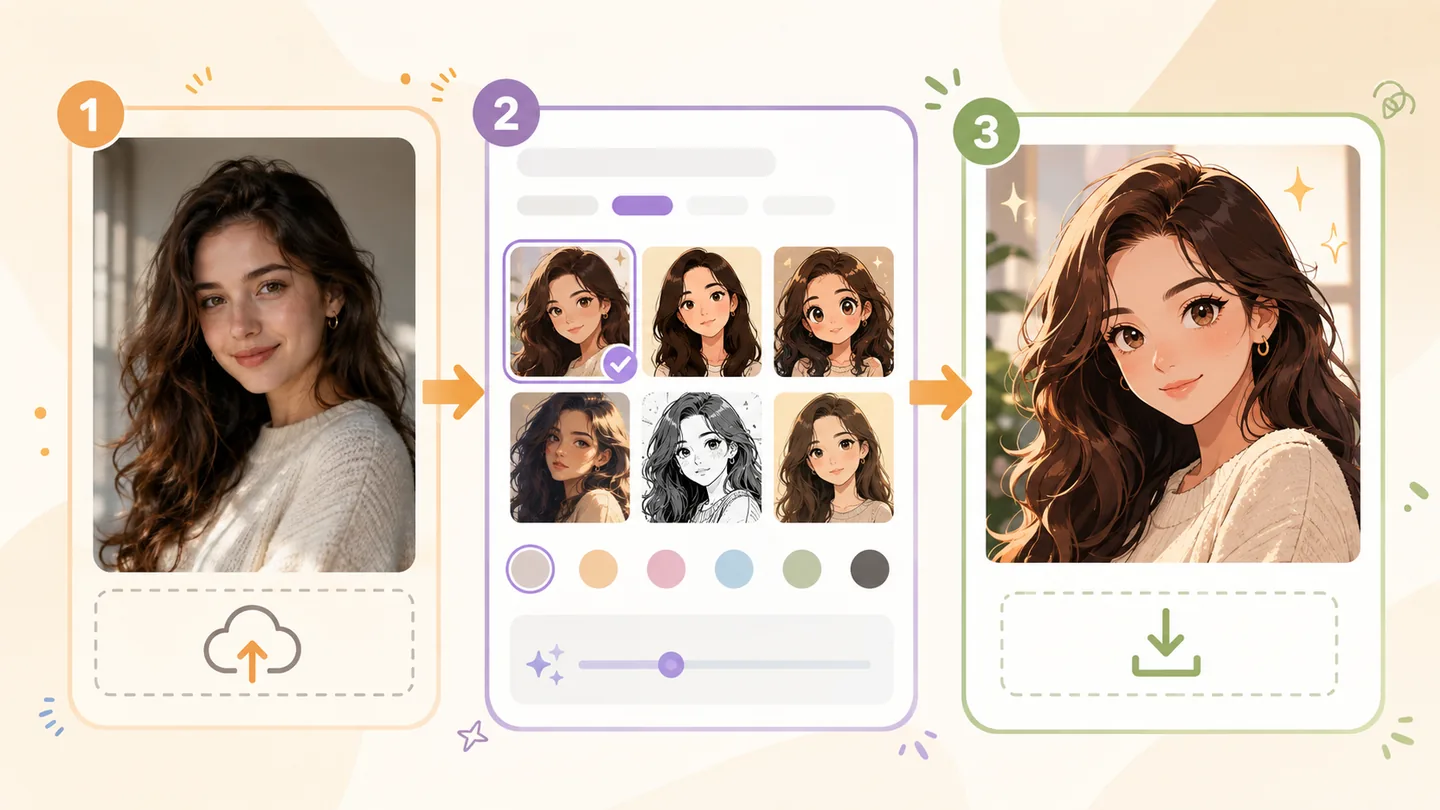
Step 1: Choose or upload your photo
Choose a well-lit photo with a clear subject. Front-facing or three-quarter portraits, pet photos, and travel photos with one main subject usually produce more stable results than blurry screenshots or crowded group photos.
Keep the source resolution as high as possible and avoid cropping the face too small. When several people appear in one image, the AI has to interpret more faces and poses at once, which can reduce consistency.
Step 2: Select your cartoon style
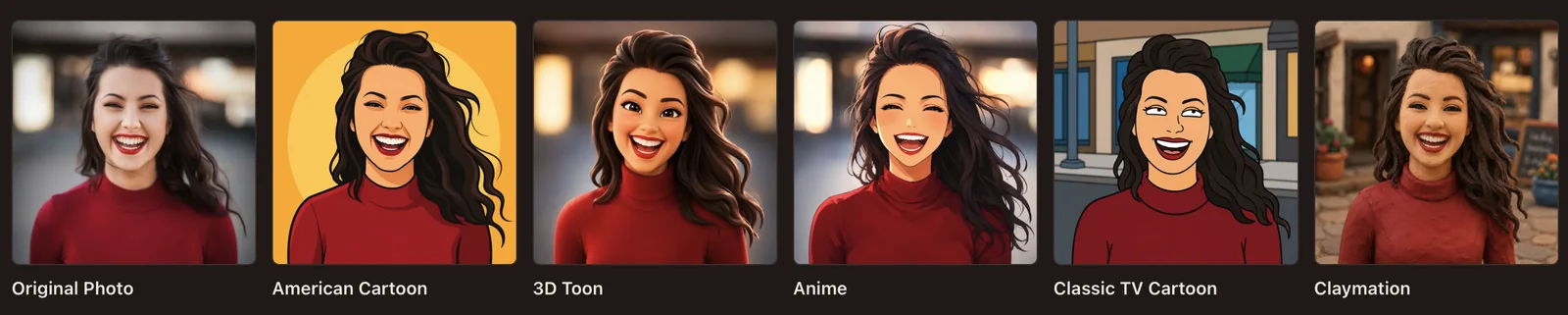
The style controls the line work, materials, lighting, and color language of the result. Three useful starting points are:
- Pixar 3D for bright, dimensional, cinematic portraits. See the Pixar style page;
- Ghibli for soft light, natural backgrounds, and a hand-painted feel. Explore the Ghibli style page;
- Storybook Crayon for children’s-book scenes, keepsake cards, and warm wax-crayon texture. Try it in the photo-to-cartoon tool.
Start with one preset instead of stacking many style words. Compare the first result, then change one variable at a time.
Step 3: Generate and download
Click generate after checking the photo and style. Most photo-to-cartoon generations take about 30–60 seconds, depending on the model, image quantity, and current processing load. When the result is ready, compare versions and download the one you prefer. Generated images do not show a visible AI Cartoon Generator watermark.
If the first result is not close enough, change one thing—such as the crop, background complexity, or style preset—instead of rewriting the entire prompt.
Tips for the Best Cartoon Effect
- Use a high-contrast photo. Clear edges around the face and hair give the model more useful structure.
- Prefer one subject. If you need to use a group photo, choose one with separated, unobstructed faces.
- Avoid very dark backlighting. Low light makes eyes, hair, and clothing harder to interpret.
- Fix the composition before the style. A closer crop often helps more than switching models when the subject is too small.
- Change one parameter at a time. This makes it easier to tell whether the photo, style, or prompt changed the result.
Why Use AI to Make Cartoons?
Traditional drawing or Photoshop retouching can involve tracing, layers, coloring, and repeated revisions. AI compresses those steps into an upload and a few guided attempts. For most users, a photo can move from preparation to a usable result in minutes rather than hours. The same workflow applies whether you want one portrait or want to turn pictures into cartoons for a whole set of avatars, pet photos, and travel shots.
AI is also useful because it offers:
- less time spent on setup;
- low-cost experimentation with free starter credits;
- repeatable batch workflows for avatars, pet photos, and travel images.
Frequently Asked Questions
Can I make a cartoon from any photo?
Most photos can be a starting point, but clarity, lighting, subject size, and occlusion affect the result. Begin with a high-resolution image where the main face or object is visible. Group photos can work, but separated faces and poses are more reliable.
How do you turn pictures into cartoons?
Upload the picture to an image-to-image generator, pick a cartoon style, and click generate. The AI redraws the picture with cartoon line work, colors, and lighting instead of placing a filter over the original. The step-by-step section above walks through the workflow for a single photo, and the same process works when you turn pictures into cartoons in batches.
How do I turn my pic into a cartoon online?
Sign in to an online generator such as our photo-to-cartoon tool, upload your pic, choose a style such as Pixar 3D or anime, and click generate. Most results are ready in 30–60 seconds, and you can compare versions before downloading the one you prefer.
Is it free to turn a photo into a cartoon?
You can sign in and start with free starter credits. Each generation uses credits based on its settings and quantity, and the cost is shown before generation. You can add a subscription or one-time credit pack when you need more capacity.
What is the best AI cartoon generator?
There is no single best tool for every workflow. If likeness matters, prioritize image-to-image support, style presets, and downloadable results. If you also want characters, video, or Storybooks, choose a platform with a broader creative workflow. Our 2026 comparison of AI cartoon generators can help you compare the options, and the free photo-to-cartoon tools comparison breaks down what "free" means on each site.
Final Takeaway
The process is simple: choose a clear photo, select a style, generate, and change one variable at a time if you need another version. That is enough to turn a real photo into cartoon art in a few minutes.